


- Writing a blog requires collecting insights from many places: blog posts, LinkedIn, YouTube, PDFs, and newsletters.
- Those insights often end up scattered across tabs, documents, and spreadsheets.
- Cluing brings all your sources into one workspace.
- Cluing AI Chat uses your saved insights as context when generating answers.
- With AI Canvas, those insights quickly become a structured blog draft you can edit and publish.
The Hardest Part of Writing a Blog Isn’t Writing
If you're evaluating tools to streamline your blog production workflow, you've probably run into one painful truth:
The biggest bottleneck isn’t writing - it’s organizing insights from everywhere.
By the time you're ready to draft, your materials are scattered across multiple places:
- browser tabs
- Google Docs
- Notion pages
- screenshots
- bookmarks
- PDFs
Finding the right insight often takes longer than writing the paragraph itself. And most tools still require you to manually collect, re-explain, or re-prompt everything.
Even AI tools fall short, because they don’t know what you’ve already gathered.
Cluing is built specifically to solve that.
It brings insights from different sources into one place and lets AI Chat work directly with that context, making it much easier to turn ideas into a structured blog draft.
The Challenge With Typical AI Writing Workflows
AI tools help generate text, but they rarely know what you’ve already saved or what you already know about a specific topic.
They don’t see:
- the article you bookmarked yesterday
- the PDF you highlighted last week
- the competitor post you wanted to reference
So the workflow becomes repetitive:
copy link → paste into prompt → explain context → ask AI again.
Instead of helping you think, the tool becomes another place to manage information.
Cluing fixes this by centralizing insights and making them usable instantly inside AI Chat and Canvas.
Cluing AI Chat Starts With Your Insights
Cluing approaches this differently.
Instead of starting from an empty prompt, AI Chat works with your saved insights and sources.
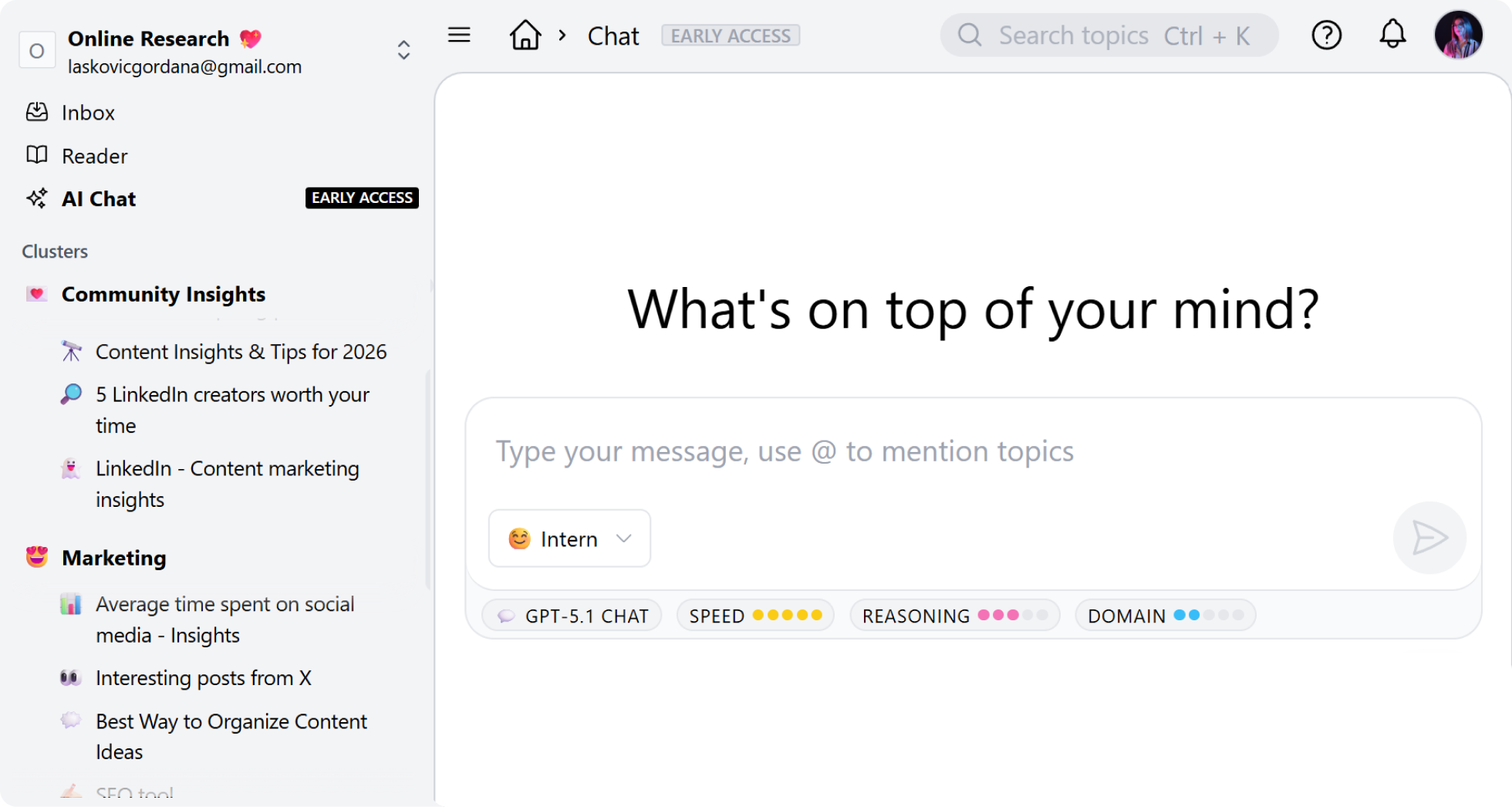
Inside Cluing, you can collect different types of content in one place:
- blog articles
- YouTube videos
- PDFs
- Social media posts
- snippets and highlights
- competitor examples
- notes and comments
When you ask AI Chat to help write something, it can pull from your own knowledge library.
Ideas stay connected to their sources, and the output stays aligned with the topic you’re working on.
Cluing also gives you access to multiple leading AI models in one place.
You can switch between models like ChatGPT, Claude, or Gemini within the same conversation, without starting over or rewriting your prompt.
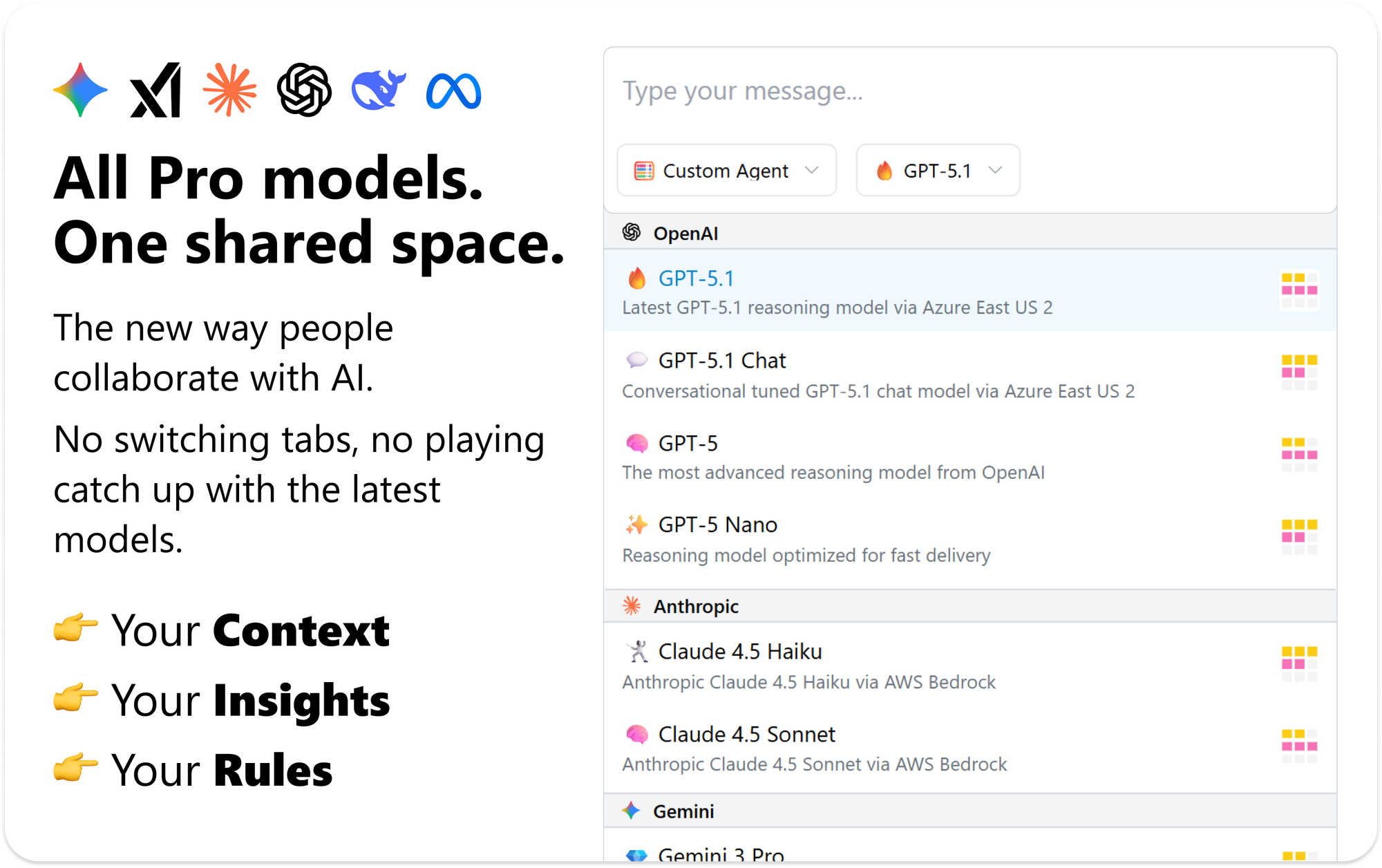
Build Your Unique Context - Independent from AI
Capture Insights, Build Context, Use Frontier AI, Collaborate
From Insights to Publish‑Ready Blog Inside Cluing
Cluing supports the full process of writing content.
Instead of jumping between tools, everything happens in one place.
1. Save insights as you discover them
While browsing, reading, or watching content, you can save useful pieces directly into Cluing.
For example:
- bookmark an article with one click
- save a YouTube timestamp with notes
- highlight key points from a PDF
- capture an interesting LinkedIn post or Reddit thread
Over time, this becomes a structured library of ideas and references you can use anytime.
2. Use AI Chat to analyze what you collected
Once insights are saved, AI Chat can help you explore them.
You might ask it to:
- summarize key ideas across multiple articles
- extract statistics from saved content
- compare competitors mentioned in your snippets
- suggest blog angles based on your insights
Instead of manually scanning everything again, AI surfaces what matters.
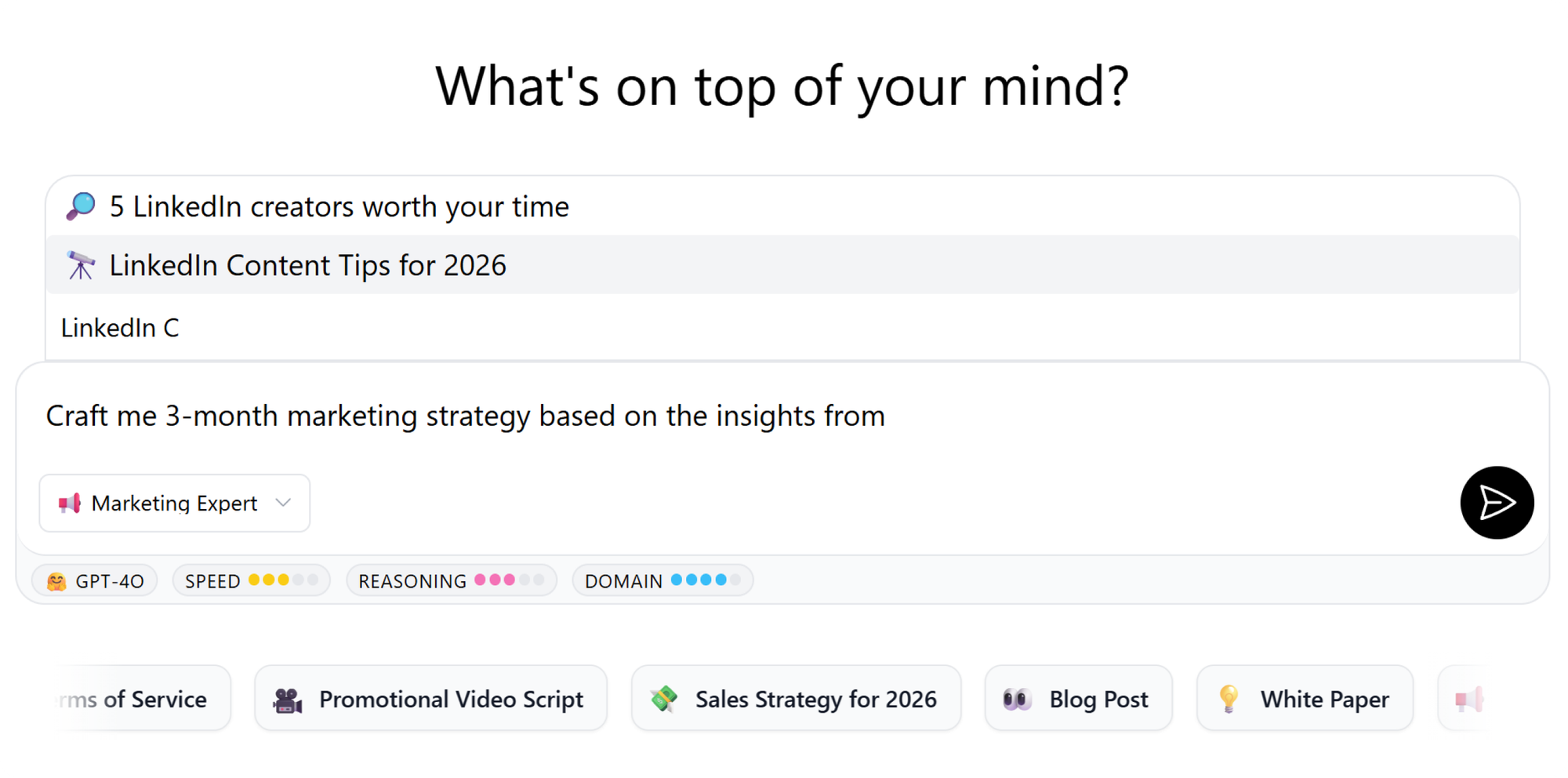
3. Turn insights into a structured blog outline
Once you have useful insights in your chat conversation, you can turn them into a working draft in seconds.
Simply tell AI Chat:
“Add research to Canvas and open Canvas.”
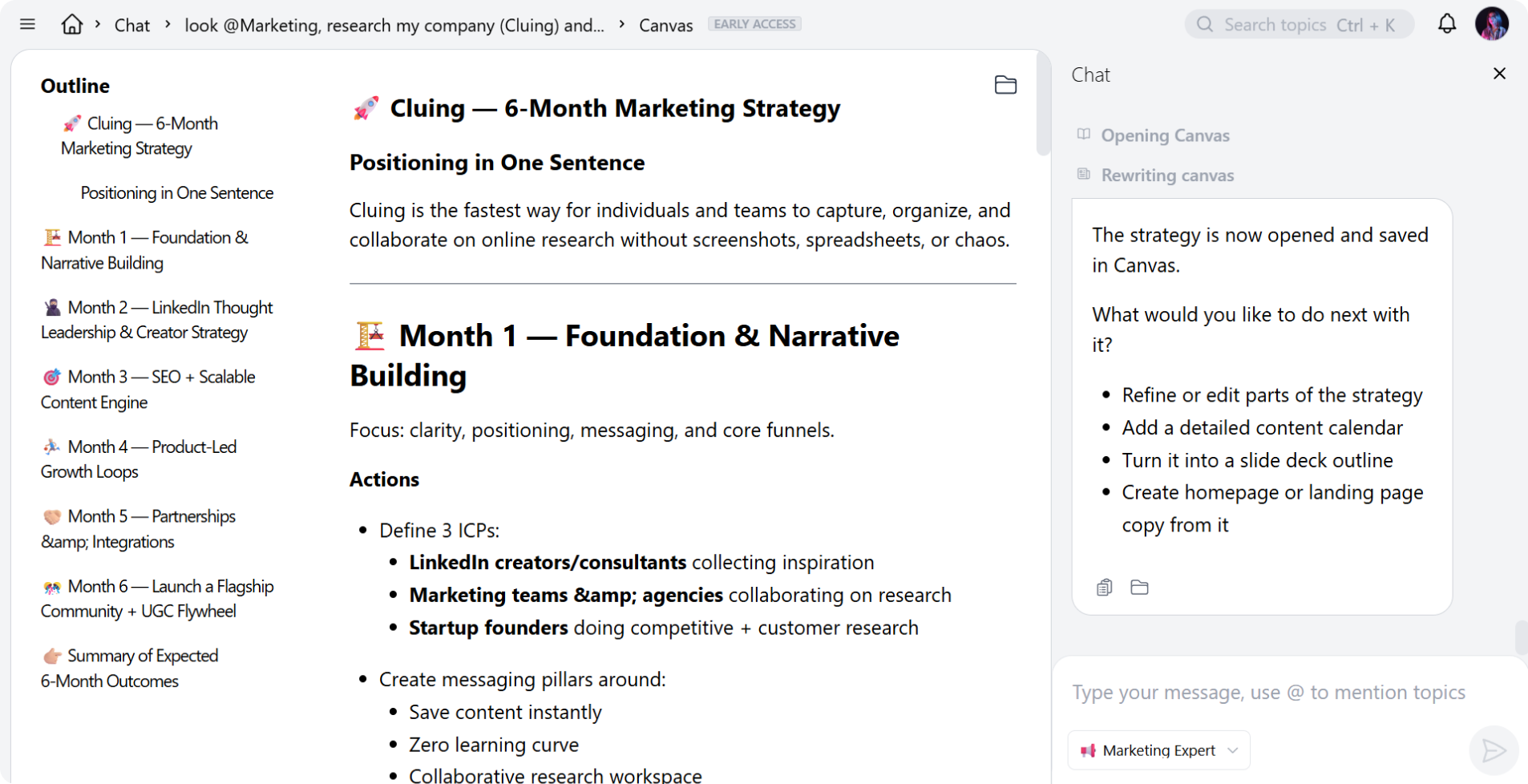
Cluing will automatically create a Canvas document using the insights and ideas from the conversation.
4. Draft and refine in the same workspace
Inside Canvas you can:
- see a structured outline of your blog post
- rearrange sections
- expand paragraphs
- edit AI-generated text
- add your own ideas
Instead of copying answers from chat into another document, the draft is created instantly and stays connected to your sources.
Why Content Teams Use Cluing Instead of Separate Tools
Content creation usually involves multiple tools: one for saving ideas, another for notes, an AI chat for drafting, and a separate document for writing.
That setup works, but it often slows the process down. Insights are scattered, context gets lost, and teams spend time moving information between tools.
Cluing brings 3 steps together in one workspace.
Instead of switching between platforms, content teams can:
- Collect insights from different sources
- Save articles, YouTube videos, PDFs, snippets, and notes in one place while browsing.
- Use AI Chat with their saved context
- Ask questions and generate ideas using insights already stored in their Cluing library. You can also switch between leading AI models right in the AI Chat.
- Draft and organize in Canvas
- Turn your saved insights into drafts, notes, or structured content directly in Cluing’s editable Canvas.
By combining insight collection, AI Chat, and drafting in one place, Cluing helps teams move from saved ideas to publish-ready content much faster.
Who Cluing Is Best For
Cluing works best for people who constantly consume different types of content, need a way to organize it, and actually do something with it.
- Content marketers: Organize competitor insights and turn them into structured blog posts.
- Copywriters: Draft data-backed articles without losing track of sources.
- Social media managers: Collect ideas from different platforms and reuse them for content.
- Marketing strategists: Combine industry insights into campaigns and messaging.
Write Blogs Faster With Context-Aware AI
The best blog posts rarely come from a blank page.
They come from connecting ideas across many sources.
When those insights live in one place, and AI can work with them directly, writing becomes much simpler.
Instead of managing information, you can focus on shaping ideas into content people actually want to read.
FAQs 🧐
What is Cluing AI Chat?
Cluing AI Chat allows you to interact with AI models while using your saved insights and sources as context.
What types of sources can be saved in Cluing?
You can collect insights from articles, YouTube videos, PDFs, social media, and even your own ideas in one place.
How is Cluing different from standard AI tools?
Most AI tools generate text without context. Cluing uses your saved insights and sources, making answers more relevant and easier to verify.
How does AI Canvas help with blog writing?
AI Canvas organizes generated answers into a structured document, helping you quickly move from ideas to a draft.
Can AI answers be verified?
Yes. Insights used in responses include source links, making it easy to check the original material.


![The Best Tool for Collaborative Research in Content Marketing Teams [2026]](/content/images/size/w600/format/webp/2025/12/image--5-.png)

![5 Tools Marketers Use to Organize Research - Compared [2026]](/content/images/size/w600/format/webp/2026/01/Frame-1975.png)


![How Marketers Can Turn LinkedIn Content into Collaborative Research [2026]](/content/images/size/w600/format/webp/2025/10/covers-for-blog--8-.png)