


YouTube has quietly become the largest university in the world.
Founders share unfiltered lessons, marketers break down real campaigns, researchers publish deep dives, and entire masterclasses are available for free.
Whether you work in marketing, product, research, or consulting, chances are a big part of your learning already happens on YouTube.
The content is there. The insights are there. But without a way to capture and organize them, they disappear as quickly as they appear.
YouTube offers unlimited access to knowledge. What most professionals don’t have is a structured way to save key insights from videos and turn them into something reusable.
You finish a 45-minute podcast episode. You remember there were a few powerful ideas. Maybe you even think, “I should use this”. But the next day, you can’t remember the exact moment, the wording, or how to find it again.
And so the cycle repeats: You watch. You forget. Repeat.
YouTube Is Hard to Turn Into Usable Knowledge (without a proper system)
Unlike written content, video doesn’t naturally fit into a knowledge workflow, because it’s hard to save specific insights from YouTube.
When you read an article, you can highlight sentences, add notes, and organize insights into Topics.
With YouTube videos, your options are limited:
- Save the full link
- Add it to “Watch Later”
- Take scattered notes somewhere else
- Screenshot a moment you’ll likely never revisit
None of these methods help you capture key insights from videos in a structured way that you can revisit anytime.
- A 60-minute video might contain 3 truly valuable insights
- You don’t remember where they were
- Your team has to rewatch everything to find one idea
- The insight stays disconnected from the rest of your knowledge base (notes, links, comments, data...)
If you use YouTube for research, content creation, strategy, or team learning, this becomes a serious inefficiency because your insights stay trapped inside long videos.
Your team has to rewatch content to extract a single idea. Valuable moments remain disconnected from the rest of your knowledge base.
The issue isn’t YouTube itself. It’s the lack of a system for capturing and organizing YouTube timestamps.
How to Save YouTube Timestamps (Instead of Full Videos)
One of the simplest ways to move from passive watching to active learning is to start saving specific YouTube timestamps instead of entire videos.
A timestamp acts like a highlight in a book. It points to the exact minute where a valuable idea appears. But a timestamp alone usually is not enough.
The real shift happens when you add context through comments:
- Why is this minute important?
- How does it connect to your current project?
- Which topic or cluster does it belong to?
- Who else in your team should see it?
When you save YouTube timestamps with comments and organize them into topics, videos stop being entertainment streams and start becoming a structured knowledge base.
How Cluing Helps You Capture YouTube Insights With Exact Timestamps
This is where Cluing changes the workflow.
Instead of bookmarking the entire video or saving an entire YouTube link, you can capture a screenshot from the exact moment that matters.
The extension automatically links that screenshot to the precise timestamp and saves it as a snippet inside your workspace.
When you open your Topic later, you don’t see a random link. You see the visual moment you captured, along with your comment explaining why it matters.
And if you want to revisit it, you can preview a short 15-second clip starting from that exact timestamp. No need to rewatch the entire video just to find one sentence.
The best part is that you can always locate them precisely without having to rewatch the entire video from the beginning.
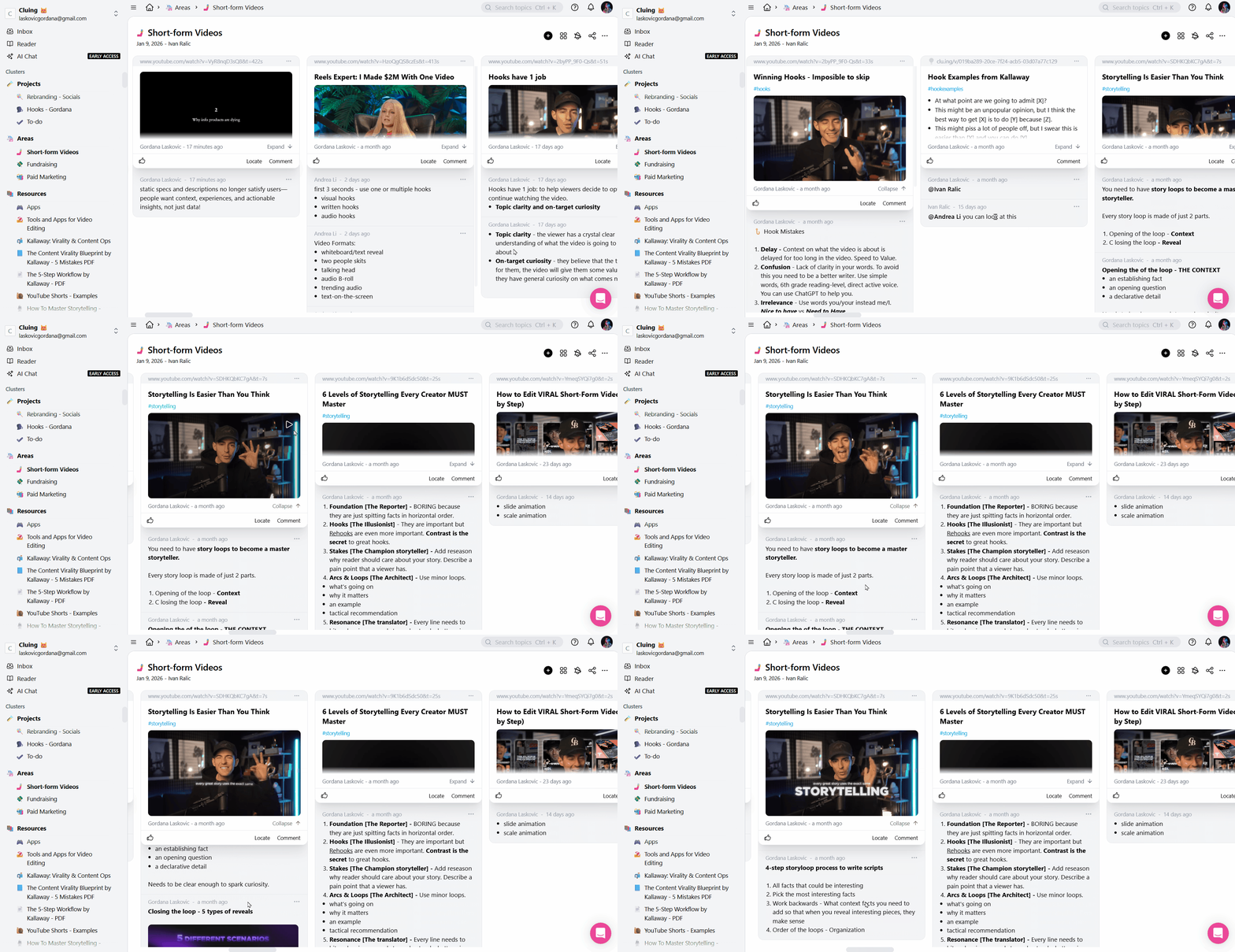
Now imagine sharing these timestamps with your team.
They don’t need to watch 60 minutes to understand your point. They can jump directly to the insight, see your comment, and respond under that exact snippet.
You can mention them right below any snippet, or share the entire topic with them if you want to give full context.
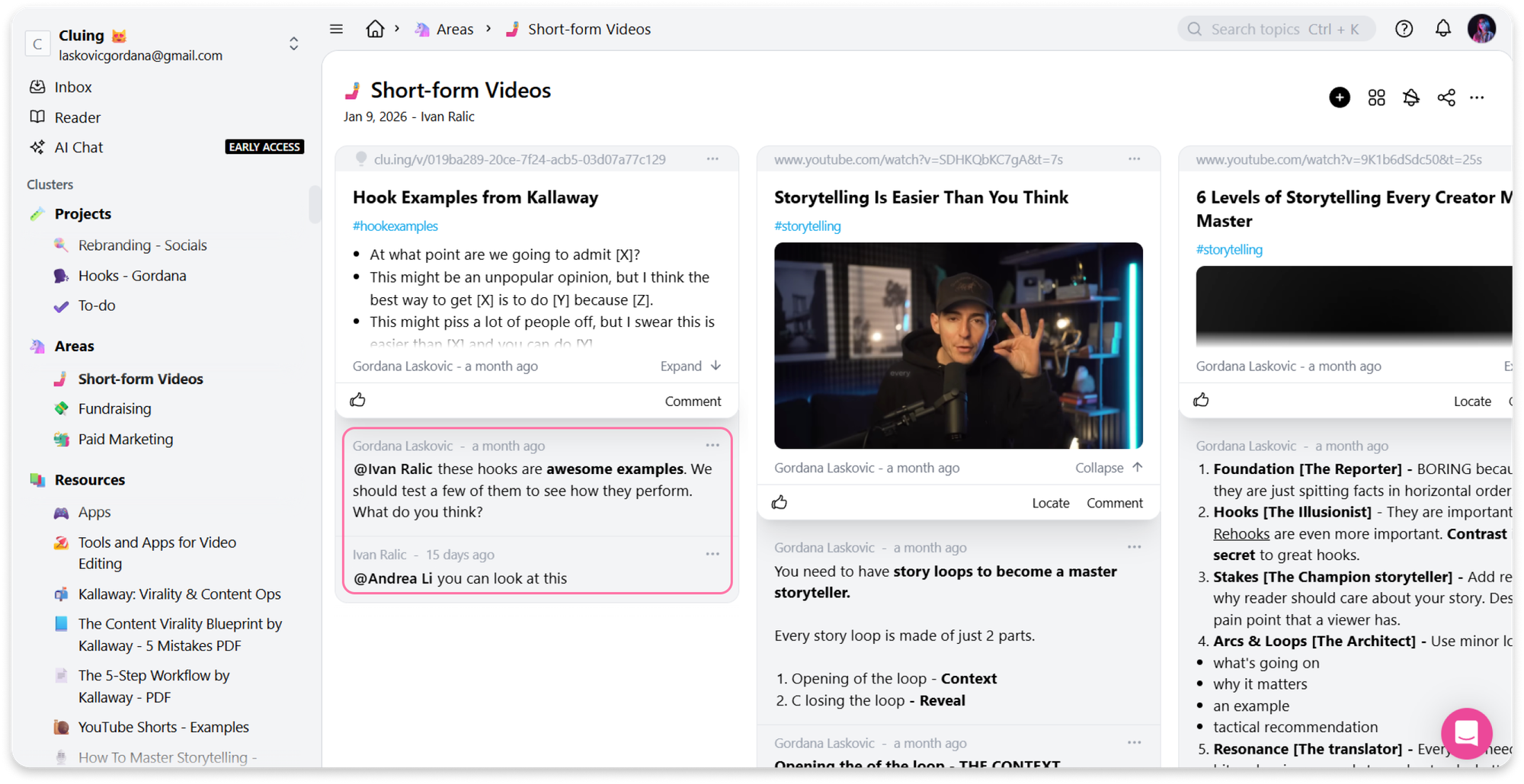
This way, YouTube stops being just something you watch alone and becomes a platform for collaborative research and knowledge sharing.
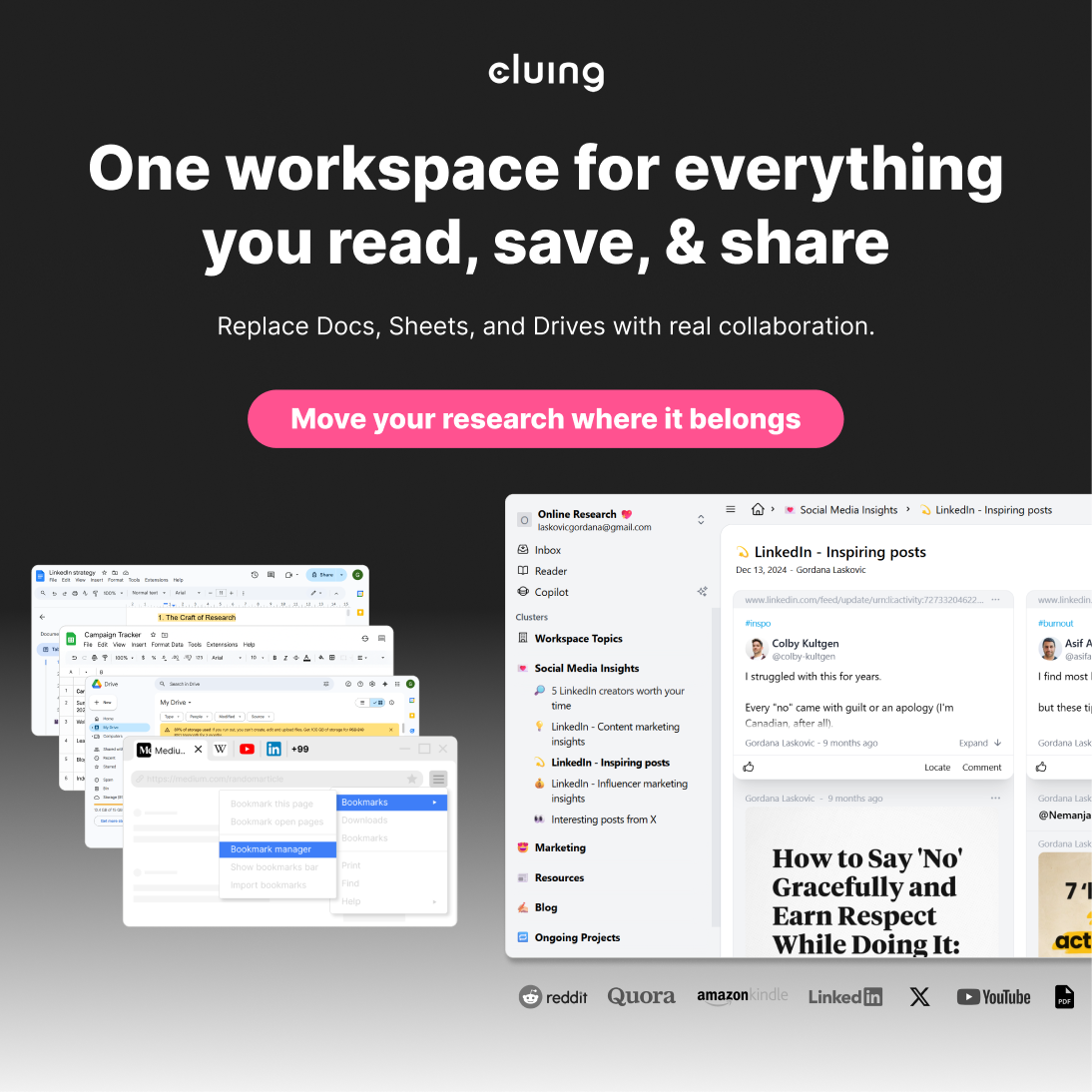
Convert insights into an everlasting knowledge base
Cluing helps you capture insights from any content - articles, videos, documents, even social media posts and organize them into a structured collaborative knowledge base.
Using AI Chat to Work With Your Saved YouTube Timestamps
Once you’ve captured and organized your YouTube timestamps, AI tools become significantly more useful.
Instead of feeding AI an entire video transcript, you work with selected, relevant moments.
You can simply ask Cluing AI Chat:
- Summarize the key ideas from these five saved timestamps
- Turn these clips into a LinkedIn post outline
- Compare this argument with the one from another saved video
- Extract three content angles from these snippets
- Based on saved hooks, give me ideas for my video
You can even choose a specific AI agent for the task, and mention the Topic where you saved your key insights from the video.
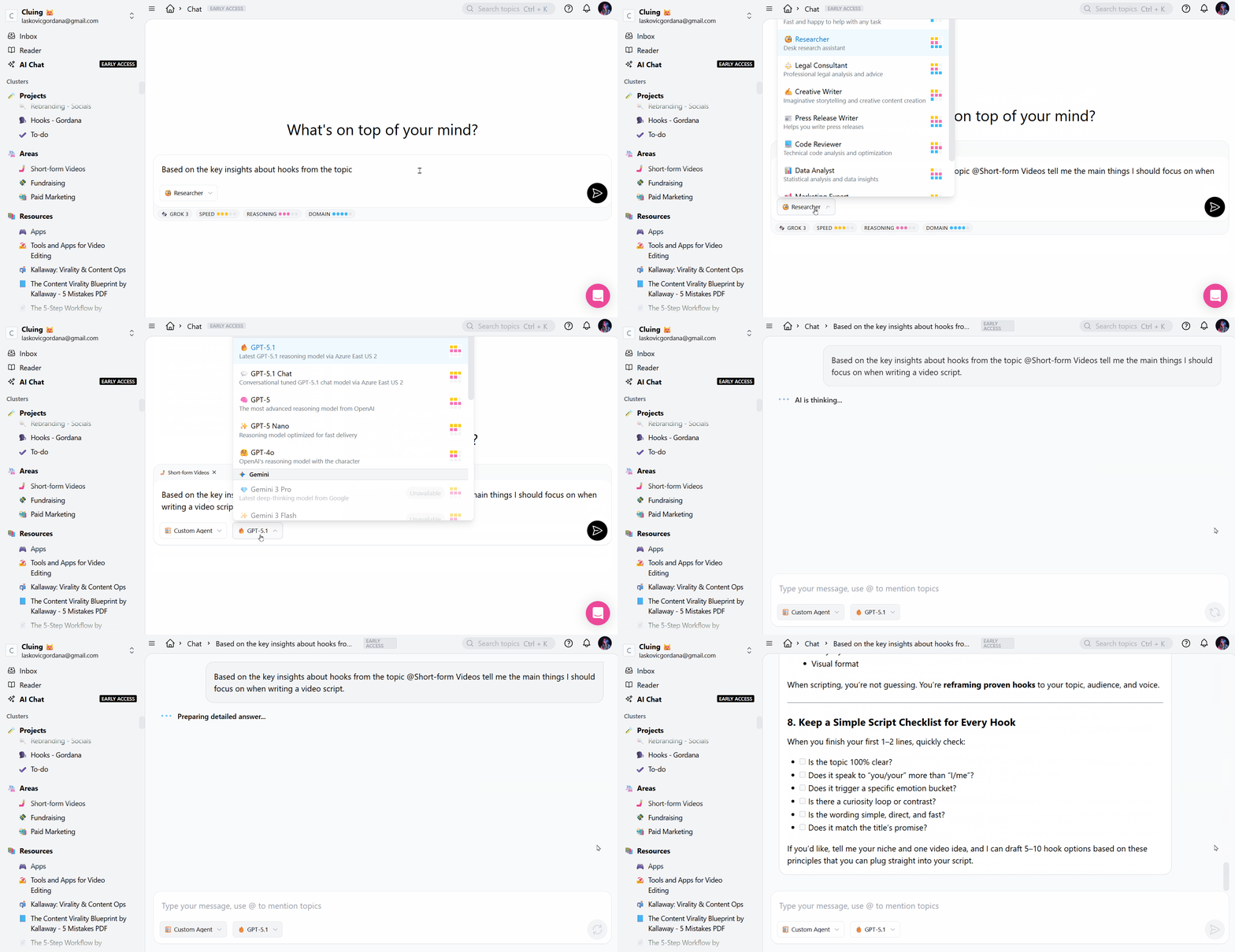
And when you combine saved YouTube timestamps, your own commentary, structured Topics, and AI assistance, you move from consumption to production and learning.
From Passive Watching to an Active Knowledge System for Learning
You don’t need to watch less YouTube. In fact, the platform can remain one of your most valuable learning sources.
But if you rely on YouTube for professional growth, research, or strategy, you need a way to save YouTube timestamps, organize key insights, and make them reusable.
By capturing precise moments, adding context, and structuring them inside a system like Cluing, you transform long videos into actionable knowledge. And when AI is layered on top of that structured input, it becomes a multiplier for your thinking, not a replacement for it.
YouTube will keep producing more information every day. The question is whether you’ll keep losing insights - or start capturing them intentionally.
FAQ
What exactly is a YouTube timestamp and why does it matter?
A timestamp marks the exact moment a valuable insight appears in a video. Saving it helps you quickly revisit and use that idea without rewatching the whole video.
How is saving timestamps different from "Watch Later" or bookmarking a video?
Bookmarks save the full video, while timestamps capture the precise moment you need. With Cluing, you can add context, comments, and organize them for easy retrieval.
Can I save insights from content other than YouTube?
Yes! Cluing works with articles, documents, PDFs, and even social media posts. All insights can be structured in one collaborative knowledge base.
How does Cluing help me organize saved timestamps?
Each timestamp becomes a snippet linked to a Topic. You can add notes, comments, and context so your team or future self can understand why it matters.
Can I share saved timestamps with my team?
Absolutely. You can mention teammates on snippets or share an entire Topic so they can see your insights instantly without watching the full video.
How does Cluing AI Chat work with saved timestamps?
Cluing AI Chat uses your curated snippets to summarize ideas, create content outlines, compare insights, or generate scripts.
Do I need to rewatch the full video to see my saved timestamps?
No. Cluing lets you preview a short clip from the exact timestamp, so you can see the key moment without rewatching the entire video.
Do I need to rewatch the full video to see my saved timestamps?
No. Cluing lets you preview a short clip from the exact timestamp, so you can see the key moment without rewatching the entire video.


![The Best Tool for Collaborative Research in Content Marketing Teams [2026]](/content/images/size/w600/format/webp/2025/12/image--5-.png)

![5 Tools Marketers Use to Organize Research - Compared [2026]](/content/images/size/w600/format/webp/2026/01/Frame-1975.png)


![How Marketers Can Turn LinkedIn Content into Collaborative Research [2026]](/content/images/size/w600/format/webp/2025/10/covers-for-blog--8-.png)
![Best Readwise Alternative for Personal & Team Research [2026]](/content/images/size/w600/format/webp/2026/01/Frame-810-2.png)
