



Bookmarking tools are back, but not all are built for teams.
Cluing is built for team research: save articles, PDFs, YouTube videos, or social posts, highlight exact snippets, add comments, tags, and mentions, and keep context visible to everyone.
Raindrop: great for personal bookmarks and archiving, but collaboration is limited.
Why bookmarking tools are relevant again
Bookmarking tools are making a quiet comeback. As we spend more time researching online, we need smarter ways to save, organize, and return to information without drowning in tabs or losing links in random docs.
Two tools stand out for people who take research seriously: Raindrop.io and Cluing.io. Both let you capture what you find online, but they’re built with very different goals in mind.
Let’s break down how they compare and which one makes more sense for collaborative research and annotation.
What This Article Covers:
- What Raindrop does well and where it falls short for teams.
- How Cluing (formerly Collabwriting) offers a simpler, collaboration-first alternative.
- The key benefits and use cases for marketers, consultants, researchers, and other knowledge-driven teams.
What Raindrop.io Does Well
Raindrop.io is one of the most polished bookmarking apps available.
The team behind it positions Raindrop as “the best place to keep all your favorite books, songs, articles, or anything else you come across while browsing.”
With browser extensions, mobile apps, and plenty of integrations, you can quickly save any URL, PDF, or highlight. Once saved, you have multiple ways to keep things organized: folders, nested collections, tags, and even AI-powered sorting if you’re on the Premium plan.
- Bookmark everything, everywhere - With browser extensions, mobile apps, and integrations, you can quickly save any URL, PDF, or highlight.
- Organization options - Folders, nested collections, tags, and even AI-powered sorting (for Premium users).
- Search power - Premium unlocks full-text search across web pages, PDFs, and even EPUBs.
- Archiving - Saved pages are preserved as snapshots, so you don’t lose them even if the source disappears.
- Collaboration (basic) - You can share collections with others, useful for building a team library.
Raindrop shines if you want a personal bookmarking hub that’s well-organized and reliable. For solo researchers, it’s one of the best options out there.
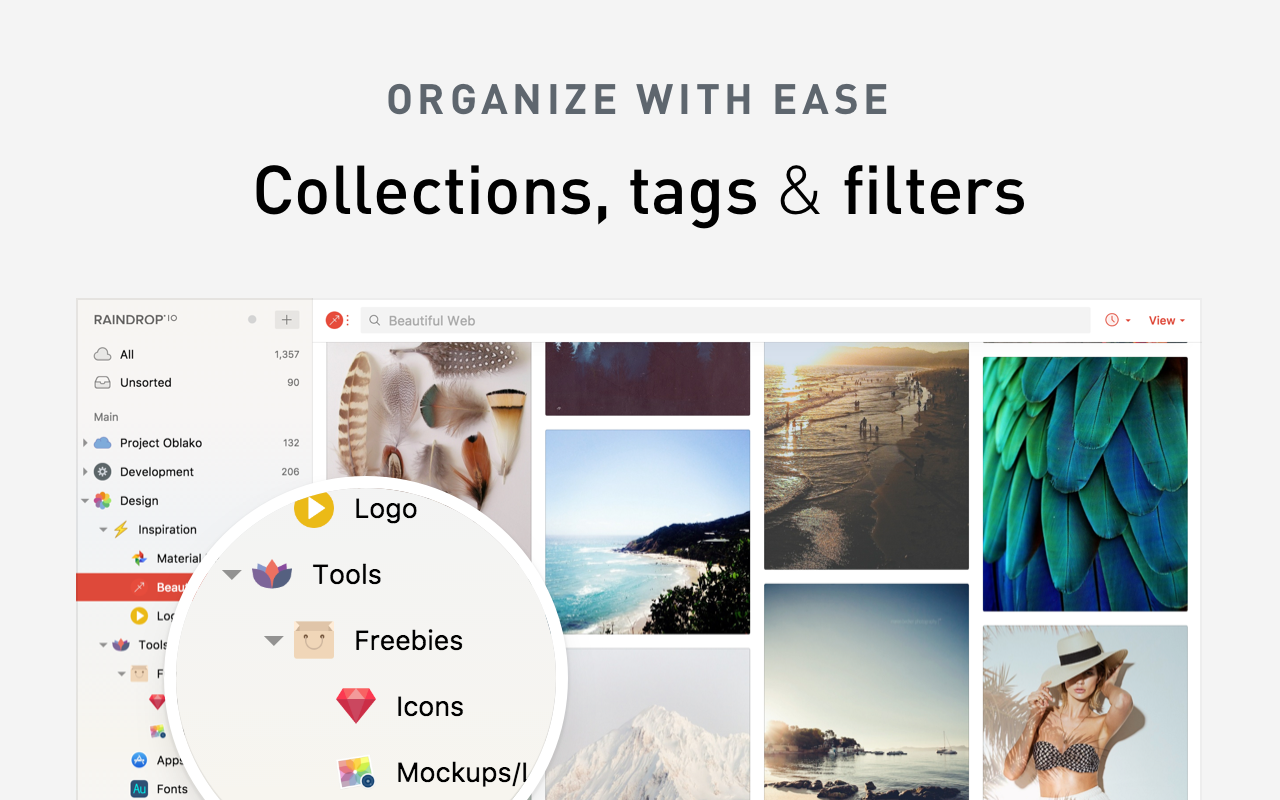
But here’s the catch: Raindrop was designed as a bookmarking tool first. Collaboration is more of an add-on than the core of the product.
For individual use, Raindrop is one of the most powerful bookmarking apps available. But when research needs to be shared and discussed across a team, its limitations start to show.
Where Raindrop Falls Short for Teams
When teams work on research, they don’t just need a place to store links; they need a way to work with those links. That’s where Raindrop can feel limited:
- Shared collections are static - there’s no conversation happening inside them.
- Annotations are basic - you can highlight text, but adding context or discussing insights isn’t the focus.
- Organization can become overwhelming - folders, tags, and nested collections require ongoing effort.
- Search and archiving are locked behind Premium.
In short: Raindrop is great for saving information. But when it comes to turning saved content into shared knowledge, it leaves gaps.
How Cluing Approaches Research Collaboration Differently
Cluing (rebranded from Collabwriting) starts from a different question. Not "where do I put this link," but "how does a team make sense of what it reads, together?"
Instead of acting like a personal filing cabinet, it's built around collaboration, context, and traceability from the ground up.
Here's what that looks like in practice:
- One-click saving, across formats. Save articles, PDFs, YouTube videos, and posts from X, LinkedIn, and Reddit in a single click, the same convenience Raindrop offers, but feeding straight into a shared workspace.
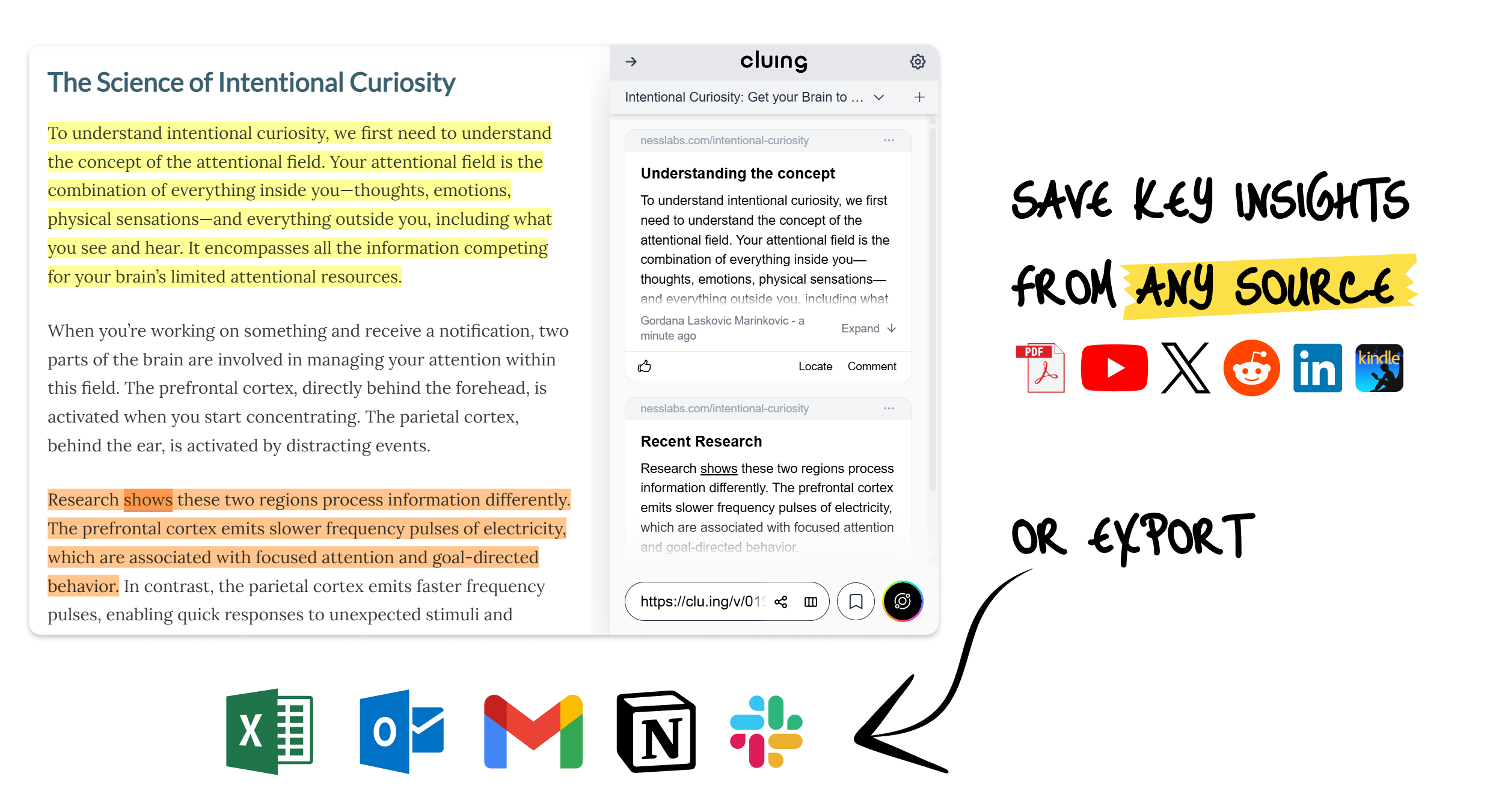
- Precise snippets instead of whole pages. Rather than saving an entire article, you highlight the exact sentence or paragraph that matters. (You can still save the full page too, if that's what you need.)
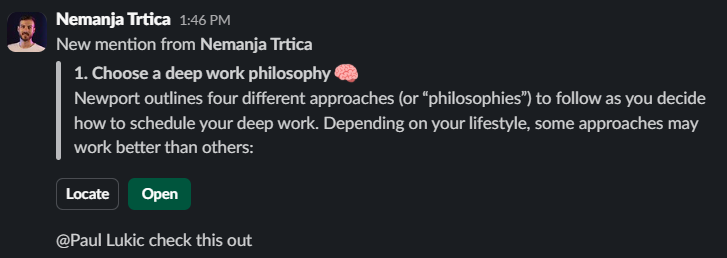
- Comments, tags, and @mentions on every snippet. Context sits right next to the source. If your Slack workspace is connected, typing @ and picking a teammate sends them an instant notification, no separate message needed to explain why a snippet matters.
- AI-assisted tagging. Add your own tags, or let Cluing suggest relevant ones based on the topic and your past research, so organizing doesn't take extra effort.
- Clusters instead of rigid folders. Group research into flexible clusters, like "Competitor Research" or "Q3 Content Ideas," without having to plan out a folder hierarchy up front.
- Granular permissions. Decide exactly who can view, edit, or comment on each topic or cluster, which matters once client work or sensitive research is involved.
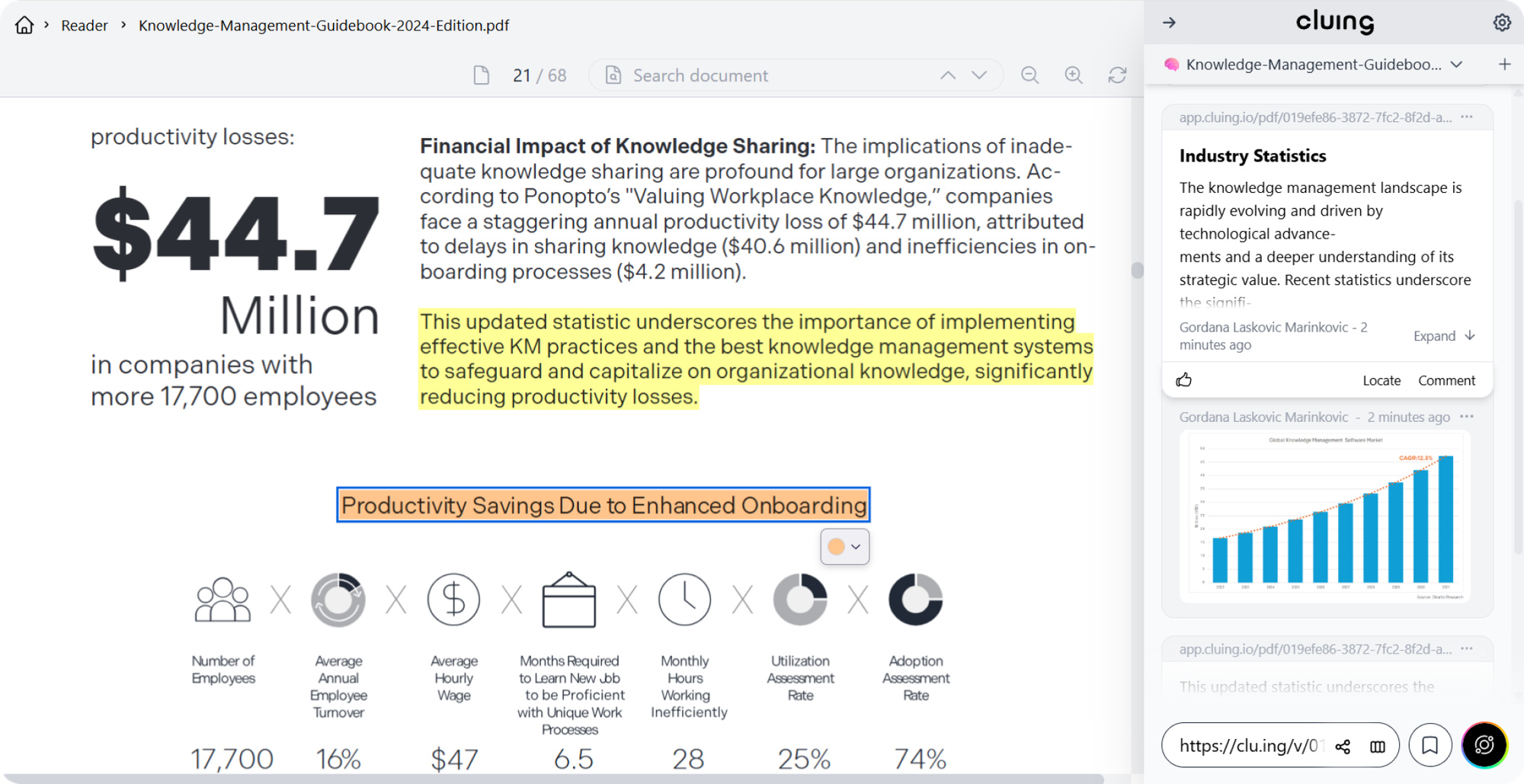
- PDF collaboration. Highlight, comment on, and annotate PDFs, uploaded or online, with the whole team seeing the same markup.
- Kindle integration. Personal reading highlights and notes flow straight into your shared workspace instead of staying stuck in a separate app.
- Newsletters organization. Subscribe to any newsletter using a dedicated Cluing email address linked to a Topic, and every new issue lands automatically as a snippet, no forwarding or manual saving needed. Explore more →
- Full traceability. Every snippet keeps a permanent link back to its original source, plus a timestamp and who saved it, so an insight can always be checked later, even if the original page changes or disappears.
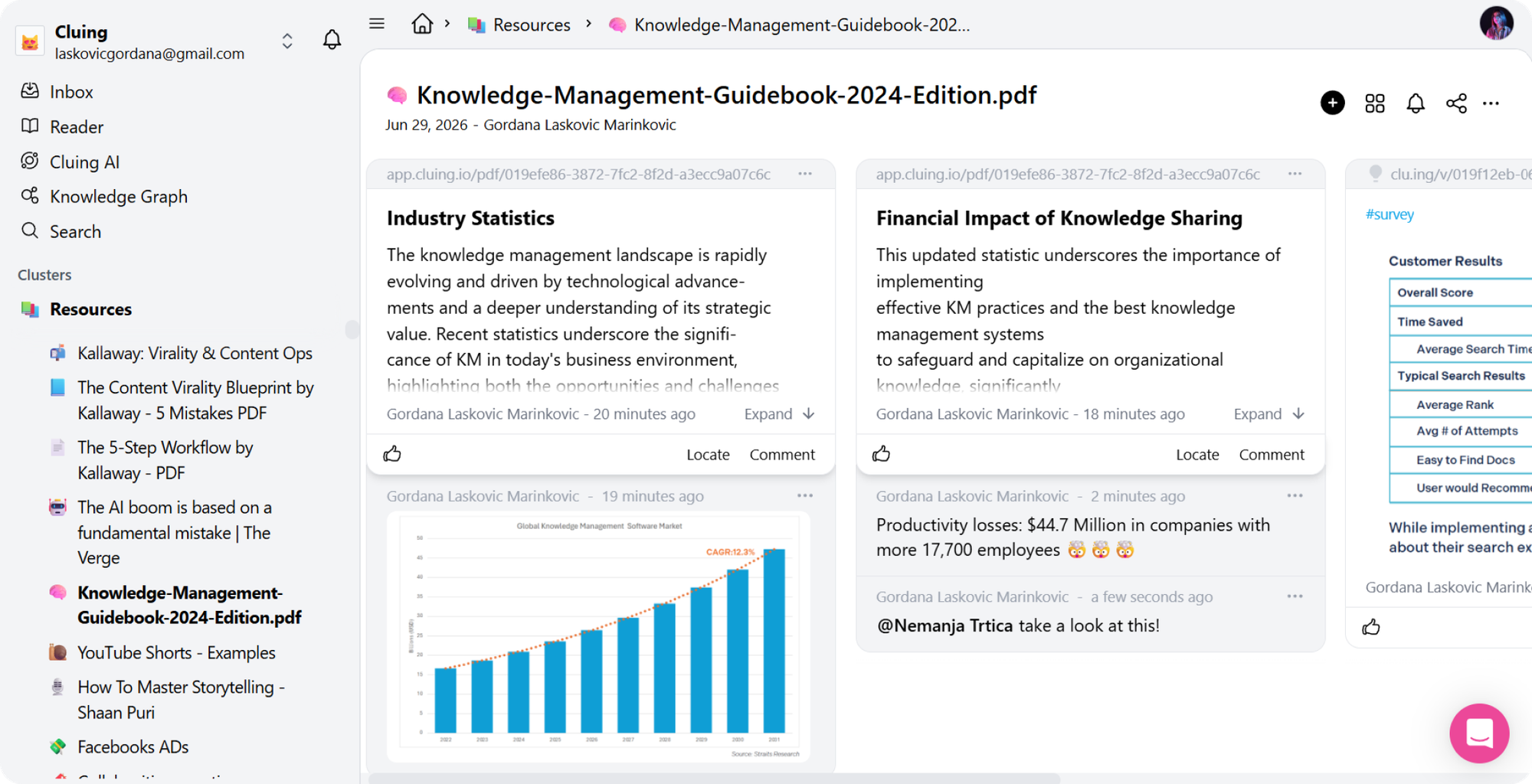
- YouTube screenshots and timestamps. Grab a specific frame from a video, and comments can include clickable timestamps that jump right to the relevant moment.

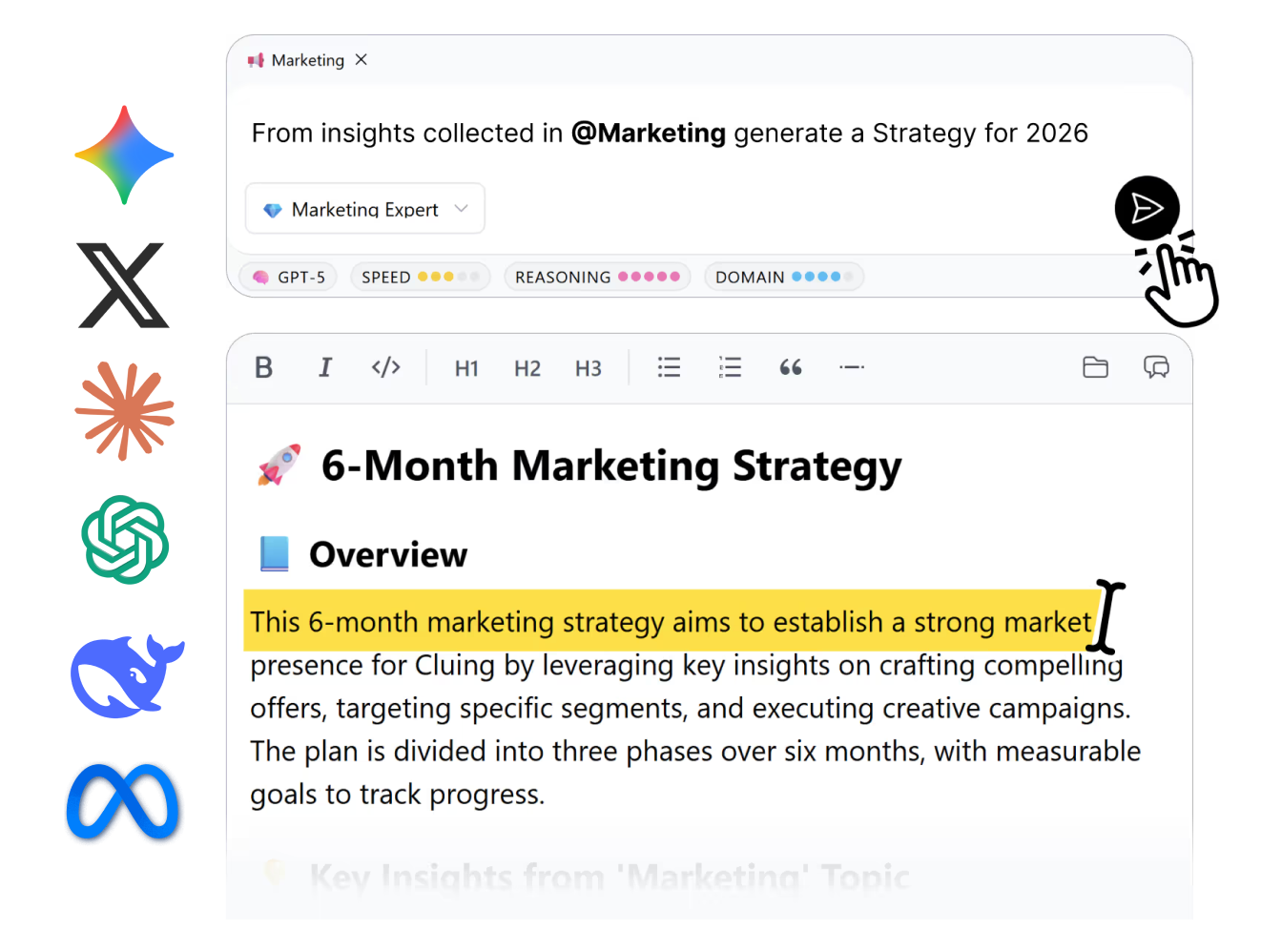
- AI Chat and Canvas. Ask questions across everything you've saved and get answers grounded in your own research, then move the results into Canvas to turn scattered findings into an actual structured document.
- Cluing Reader. A distraction-free reading view for saved articles and PDFs, so you can read and highlight without leaving the app.
The end result is that a saved link isn't just sitting quietly in a folder anymore. Every piece of research carries the "why" along with it, visible to the whole team, searchable later, and always connected back to its source.
👉🏼 Nice ways you can use Cluing to make your life easier
Why Cluing is the Simpler Alternative to Raindrop (not just powerful)
It's easy to assume "built for teams" means "more complicated." In practice, Cluing tends to remove friction rather than add it:
- Less need to over-organize. Clusters take the place of the constant folder and tag upkeep that shared Raindrop collections need.
- No context gap. Anyone on the team can open a snippet and immediately see why it was saved, not just that it was saved.
- One tool instead of four. Research, annotation, discussion, and sharing all happen in the same place, so you're not stitching together a spreadsheet, a Slack thread, and a Google Doc just to keep a project moving.
A common piece of user feedback is that Cluing feels "stupidly easy to use," even for teams that have never touched a dedicated research tool before.
Cluing or Raindrop - Which Tool Should You Choose?
It all depends on what you need your research tool for.
Are you focused on collaboration, tracking sources, and verifying insights, or are you mostly looking to create a personal collection of bookmarks?
- Choose Raindrop if you want a powerful personal bookmarking tool with advanced search and archiving.
- Choose Cluing if your research needs to be shared, discussed, tagged, and turned into something the whole team can act on, without losing track of where each insight came from.
Teams that keep getting lost in a mess of browser tabs, screenshots, and half-updated Google Docs tend to land on Cluing, since it treats collaboration as the default rather than an afterthought.
FAQ
What's the main difference between Raindrop and Cluing?
Raindrop is mainly a personal bookmarking tool with powerful search and archiving features. Cluing, on the other hand, is designed for team collaboration, letting you save, annotate, and discuss sources in one place while keeping context visible to everyone.
Can I use Cluing just for myself?
Yes. It works well as a personal research hub too, though the collaboration features are where it really shines for teams.
Does Raindrop have any collaboration features at all?
Yes, in a limited way. You can share collections with others, but there's no built-in way to comment on, discuss, or tag individual saved items, which is usually where teams hit a wall.
Can I save social media posts or YouTube videos in Cluing?
Yes. Articles, PDFs, YouTube videos, and posts from X, LinkedIn, and Reddit can all be saved in one click, including screenshots pulled from videos.
How does tagging work in Cluing?
You can add tags manually, or let the AI suggest tags based on the topic and your previous research, so things stay organized without much manual effort.
Can I still save full pages in Cluing, or only snippets?
Both. Precise snippets are the default for capturing exact context, but you can bookmark an entire page whenever that's what you need.


![The Best Reddit Threads Disappear in a Week. Here's How to Keep Them [2026]](https://storage.ghost.io/c/9f/9d/9f9d32ee-55b4-4411-b435-9dc854e1751c/content/images/size/w600/format/webp/2026/06/reddit-cover.png)

![Read it later system for LinkedIn posts - Save, organize, and use what you find [2026]](https://storage.ghost.io/c/9f/9d/9f9d32ee-55b4-4411-b435-9dc854e1751c/content/images/size/w600/format/webp/2026/06/blog-3.png)


