



Pocket saves articles. Instapaper saves links. But neither of them saves the newsletter insight you'll want to find again in three months. Here's what does.
You've probably heard of read-it-later apps. Pocket, Instapaper, Readwise, Matter - tools built around a simple but old idea: save something now, read it when you have time.
They're great for articles you stumble across while scrolling. But there's one format they were never quite built for: newsletters.
And newsletters are where a lot of the most valuable writing on the internet actually lives right now.
Why newsletters broke the read-it-later model
Over the past few years, newsletters became the format of choice for serious thinkers. Marketers, product strategists, philosophers, investors, scientists - many of the smartest people online moved their best ideas into newsletters, directly into your inbox.
Which means your inbox became something genuinely worth reading. Frameworks, insights, case studies, perspectives- not just promotions and notifications.
The problem isn't the quality of what you read. It's that you read it once, appreciate it in the moment, and then it disappears into the flow.
The classic read it later app doesn't help here. You might clip an article and add it to your Pocket queue, where it joins 400 other saved pieces you've never returned to. The content is technically "saved." But it's not usable.
What most newsletter readers actually need isn't a better way to defer reading. They need a better way to capture, organize, and revisit what they've already read.
What you actually lose when newsletters disappear
Think about the newsletters you genuinely enjoy. Maybe it's a weekly digest on your industry. Maybe it's a creator who consistently challenges the way you think. Maybe it's a mix - business tips, philosophy, literary commentary, whatever you're into.
Now ask yourself: when you actually read something useful in one of those newsletters, a framework, a counterintuitive idea, a useful distinction - what happens to it?
For most people, the honest answer is: nothing. You read it. You appreciated it. You moved on. And by the time you need that idea again, you can't find it. You remember it existing but can't locate it. You certainly can't share it cleanly.
This is the real problem that read-it-later apps were supposed to solve, and mostly don't.
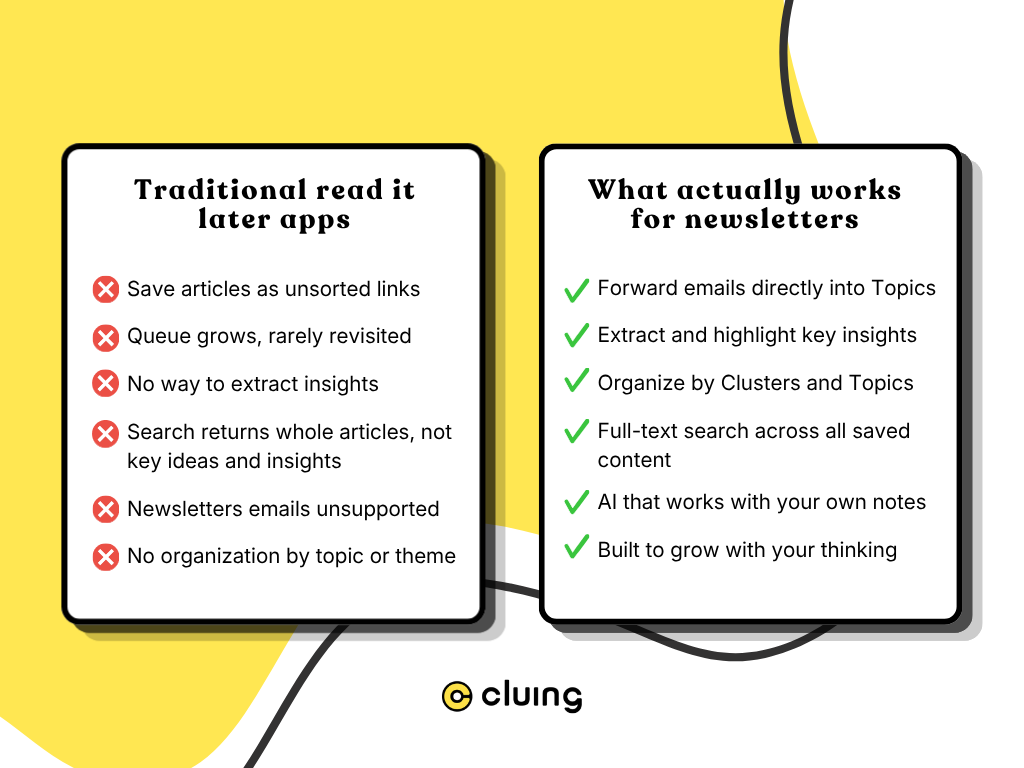
A different approach: forward, highlight, build
This is exactly why we built newsletter forwarding into Cluing.
Cluing is an AI-powered knowledge base tool - a place to capture insights from anywhere on the web (articles, PDFs, YouTube videos, social posts, Kindle highlights) and organize them into a system you can actually use.
But newsletters kept coming up as a specific pain point. Not because people weren't reading them. Because they were reading them and losing everything.
So instead of making Cluing another place to save links, we made it the place where newsletter content becomes structured knowledge.
Here's how it works:
1) Create a topic
Set up topics in your Cluing workspace - by newsletter, by theme, by project, or however your mind works. "Marketing insights." "Philosophy reading." "Product strategy."
You choose the structure.
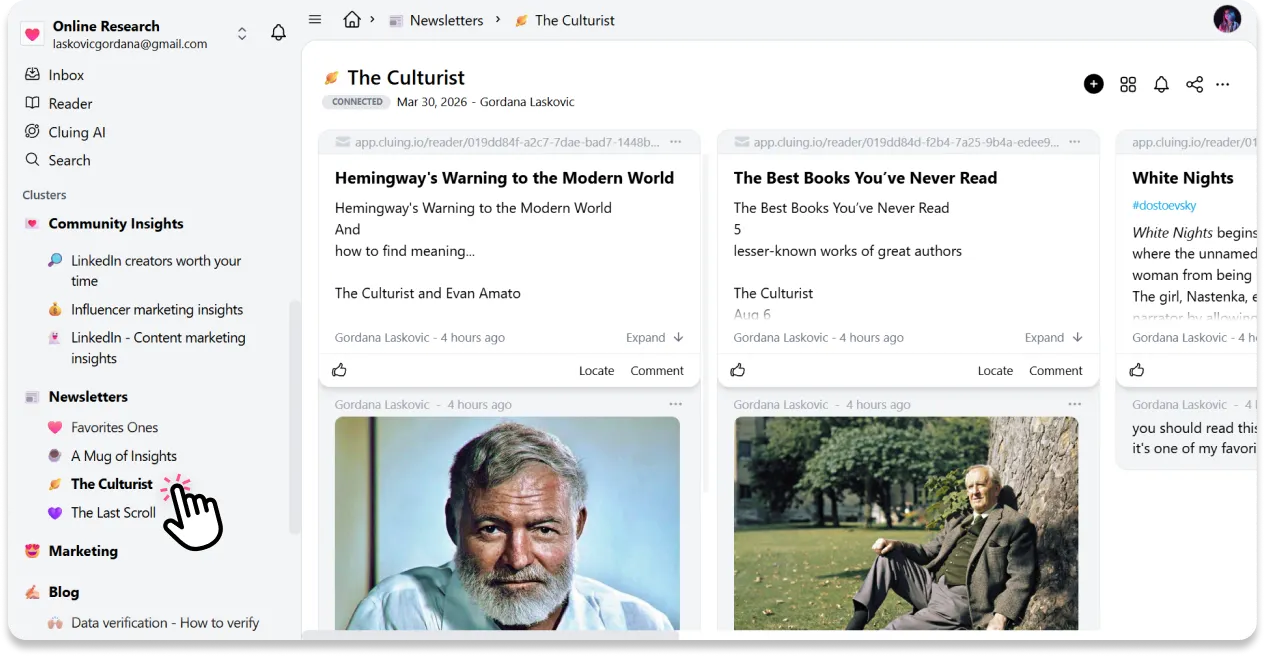
2) Generate a unique email address for each topic
Every topic in Cluing has its own inbox address. You'll find it in workspace settings. This is where newsletters get routed, directly into the topic where they belong.
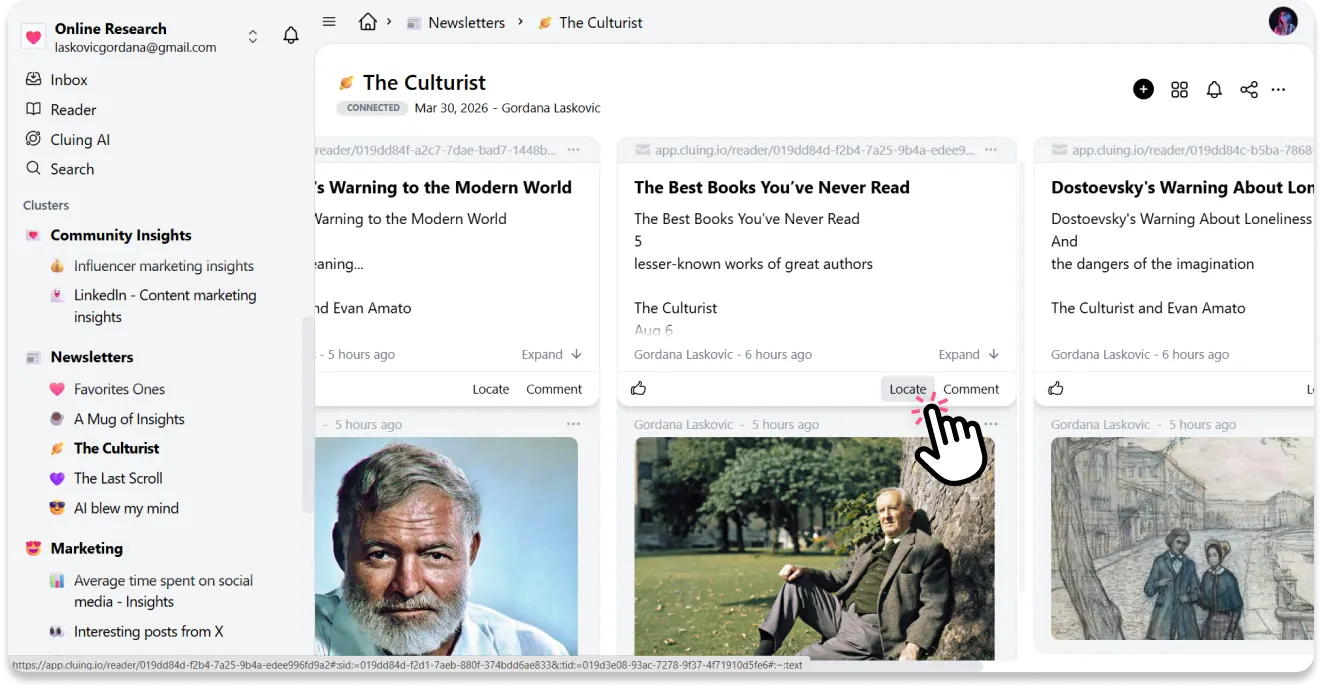
3) Forward newsletters (or subscribe with that address)
When a newsletter lands in your inbox and you want to keep it, forward it to the topic address. Or subscribe to new newsletters using the topic address directly, so they're captured automatically.
4) Open and highlight in Reader view
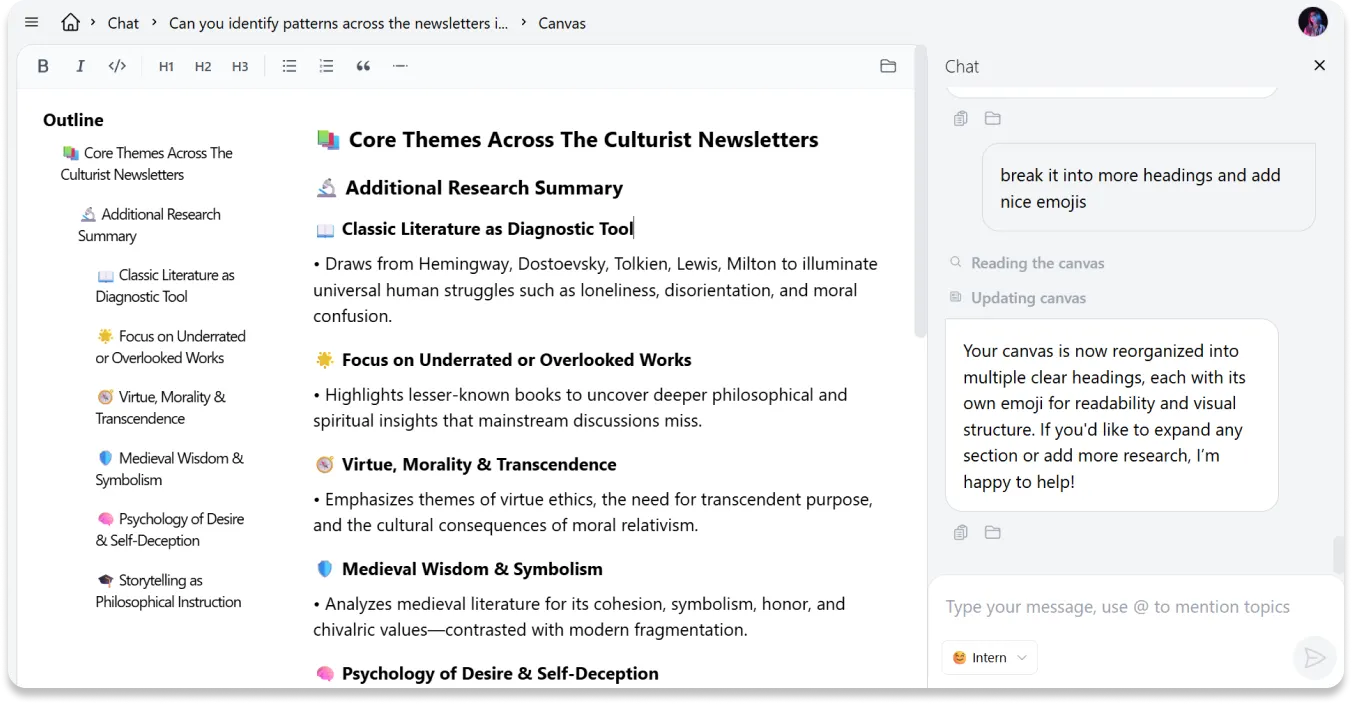
Cluing processes the email and turns it into a clean, distraction-free snippet. Open it in Reader view, highlight the parts that matter, and extract key ideas as separate notes.
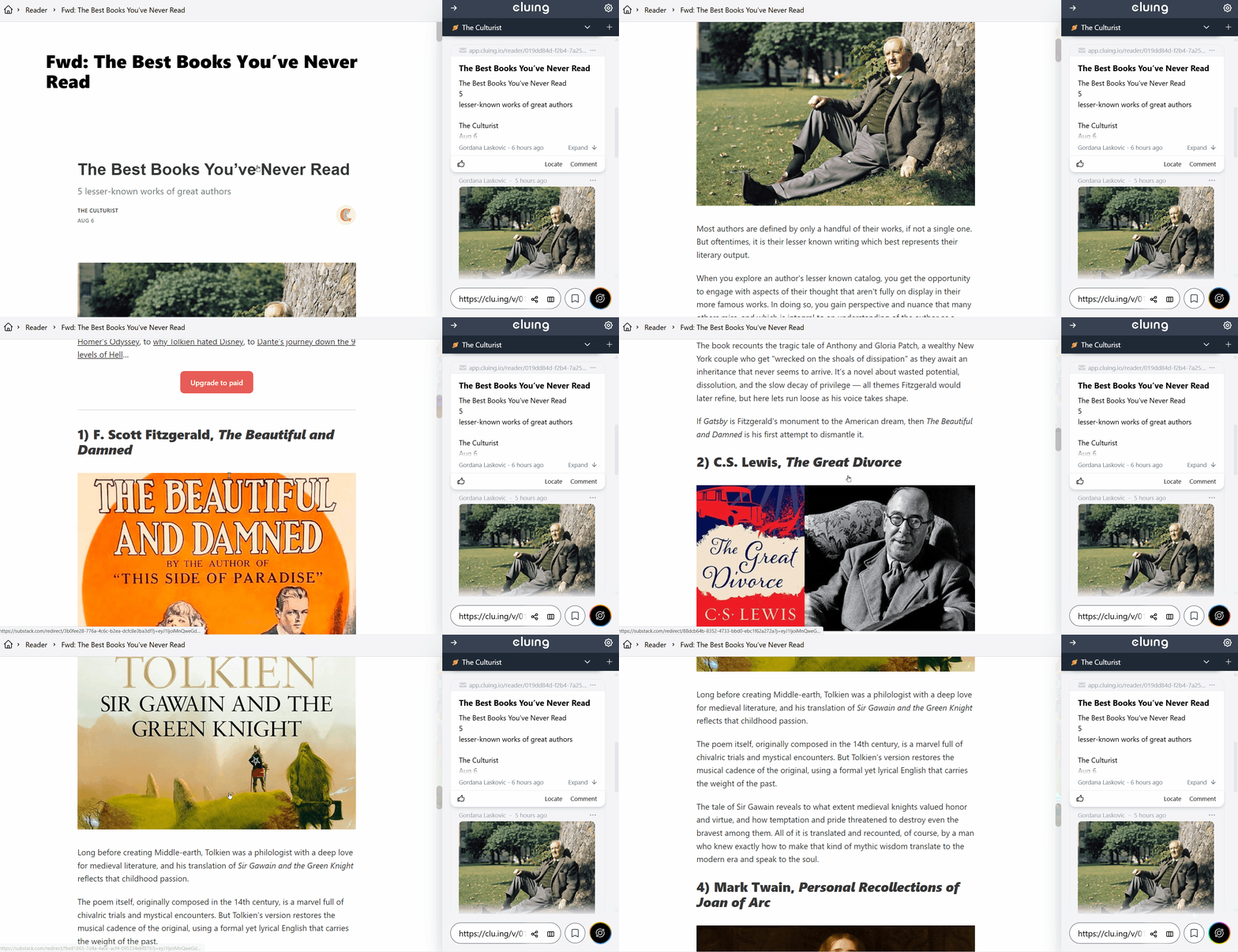
5) Let it compound over time
As you keep saving, your topics become real collections of structured knowledge - searchable, revisable, shareable. And the AI can work across all of it to surface connections you'd never find manually.
When a read-it-later app becomes a thinking tool
Here's what changes when you consistently save newsletter insights into an organized system instead of letting them disappear:
After a few weeks, your topics start to fill up. You have 30 saved insights on brand positioning. 20 notes from your favorite philosophy newsletter. A whole topic on product-led growth that spans six different writers.
Now you can actually do something with all of that.
Cluing's AI Chat works directly with your knowledge base. You can open a topic and ask the AI to find patterns across the ideas you've saved, compare frameworks, highlight contradictions, or help you write something based entirely on your own curated thinking, not generic training data.
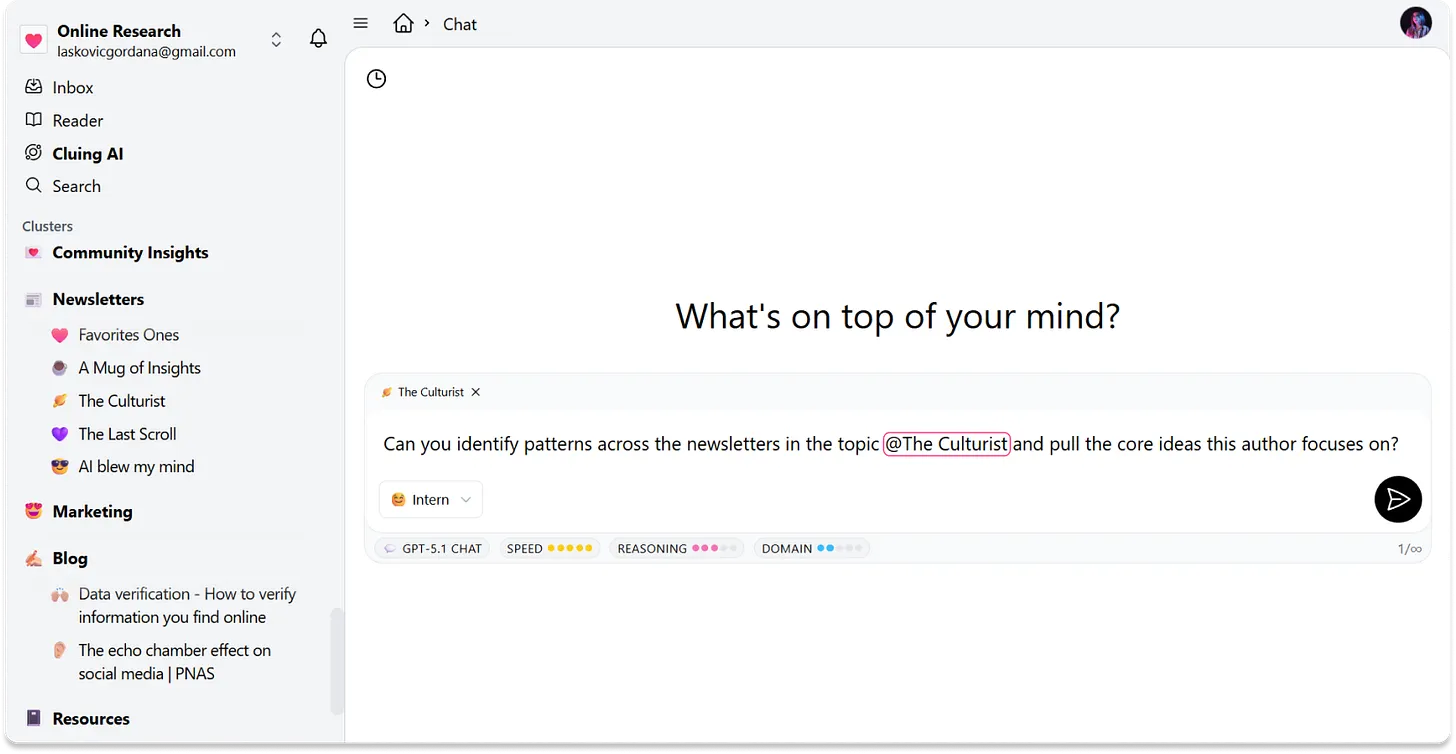
This is the difference between a read-it-laterread-it-later app and a knowledge system. One defers consumption. The other compounds it.
Instead of jumping between tools, in Cluing you're working in one continuous space - from insight, to understanding, to output.
Who this is actually for
If you read one newsletter a month and don't particularly care about retaining what's in it, a regular read-it-later app is fine. Save the link. Read it eventually. Move on.
But if you're someone who reads newsletters consistently, because you genuinely value the thinking in them, and you've ever felt that nagging frustration of knowing you read something relevant but not being able to find it again, Cluing is built for you.
It's also useful if you work in a team. Topics in Cluing can be shared, so the newsletters one person reads and finds useful can become a shared resource, with highlights, comments, and context attached.
 Gordana Laskovic
The newsletter you read today is worth more than the one you saved and forgot
The real problem was never finding good newsletters to read. There are more excellent ones than any of us can keep up with. The problem was always what happens after you read them.
A read-it-later app is a fine solution for articles you haven't gotten to yet. But newsletters - the ones you're already reading and genuinely learning from - deserve something better than a queue you'll never clear.
They deserve to become part of how you actually think.
FAQs 🧐
What makes Cluing different from Pocket or Instapaper?
Pocket and Instapaper are designed for articles you haven't read yet - you save a link and come back later. Cluing is built for content you've already read and want to actually retain. You forward newsletters directly into organized topics, highlight the parts that matter, and build a knowledge base you can search and revisit, instead of a backlog that keeps growing.
Do I need to change how I read newsletters?
Not really, but there's an even smarter way to set it up. Instead of forwarding newsletters manually, you can subscribe to any newsletter directly with your Cluing topic email address. From that point, every issue lands automatically in the right topic, ready to read in Cluing's distraction-free Reader. No inbox clutter, no forwarding - just open it, highlight the parts that matter, and save them as snippets with your own comments attached.
Can I use Cluing for things other than newsletters?
Yes! Newsletters are just one use case. Cluing lets you save highlights from web pages, PDFs, Kindle books, YouTube videos (with exact timestamps), and social media posts, all into the same workspace. Everything ends up organized in topics alongside your newsletter insights, so ideas from different sources can actually connect.
How many newsletter email addresses can I create?
Free plan users get 1 active email address. Personal Pro and Team users can create multiple addresses - one per topic - so different newsletters automatically route into the right place without any manual sorting.
What does the AI actually do with my saved newsletters?
Cluing's AI Chat works directly on your own knowledge base, not generic internet data. You can ask it to find patterns across insights you've saved, compare ideas from different topics, surface contradictions, or help you draft something based on your own curated thinking. The more you save, the more useful it becomes.
Is Cluing free to use?
Yes, there's a free plan to get started. It includes 1 email address for newsletter forwarding, core highlighting and saving features, and basic topic organization. Pro and Team plans unlock multiple email addresses and more powerful features.


![The Best Reddit Threads Disappear in a Week. Here's How to Keep Them [2026]](https://storage.ghost.io/c/9f/9d/9f9d32ee-55b4-4411-b435-9dc854e1751c/content/images/size/w600/format/webp/2026/06/reddit-cover.png)

![Read it later system for LinkedIn posts - Save, organize, and use what you find [2026]](https://storage.ghost.io/c/9f/9d/9f9d32ee-55b4-4411-b435-9dc854e1751c/content/images/size/w600/format/webp/2026/06/blog-3.png)


![Cognitive Capital - The New Layer of Value [2026]](https://storage.ghost.io/c/9f/9d/9f9d32ee-55b4-4411-b435-9dc854e1751c/content/images/size/w600/format/webp/2026/05/covers--9-.png)