



You know how frustrating it is to realize that you can’t read a single tab name in your browser because they’ve all shrunk down to tiny favicons? Now instead of seeing your tabs, you’re seeing a row of tiny panic buttons.
You’ve had 47 tabs open for 3 days now, and you still haven’t seen at least one of those tabs that contain the article, tool, or even the recipe you thought you would try.
The chances of you actually seeing those tabs is slim to none.
The “too many open tabs” problem is a problem, but it’s not a browser problem. It’s a brain problem.
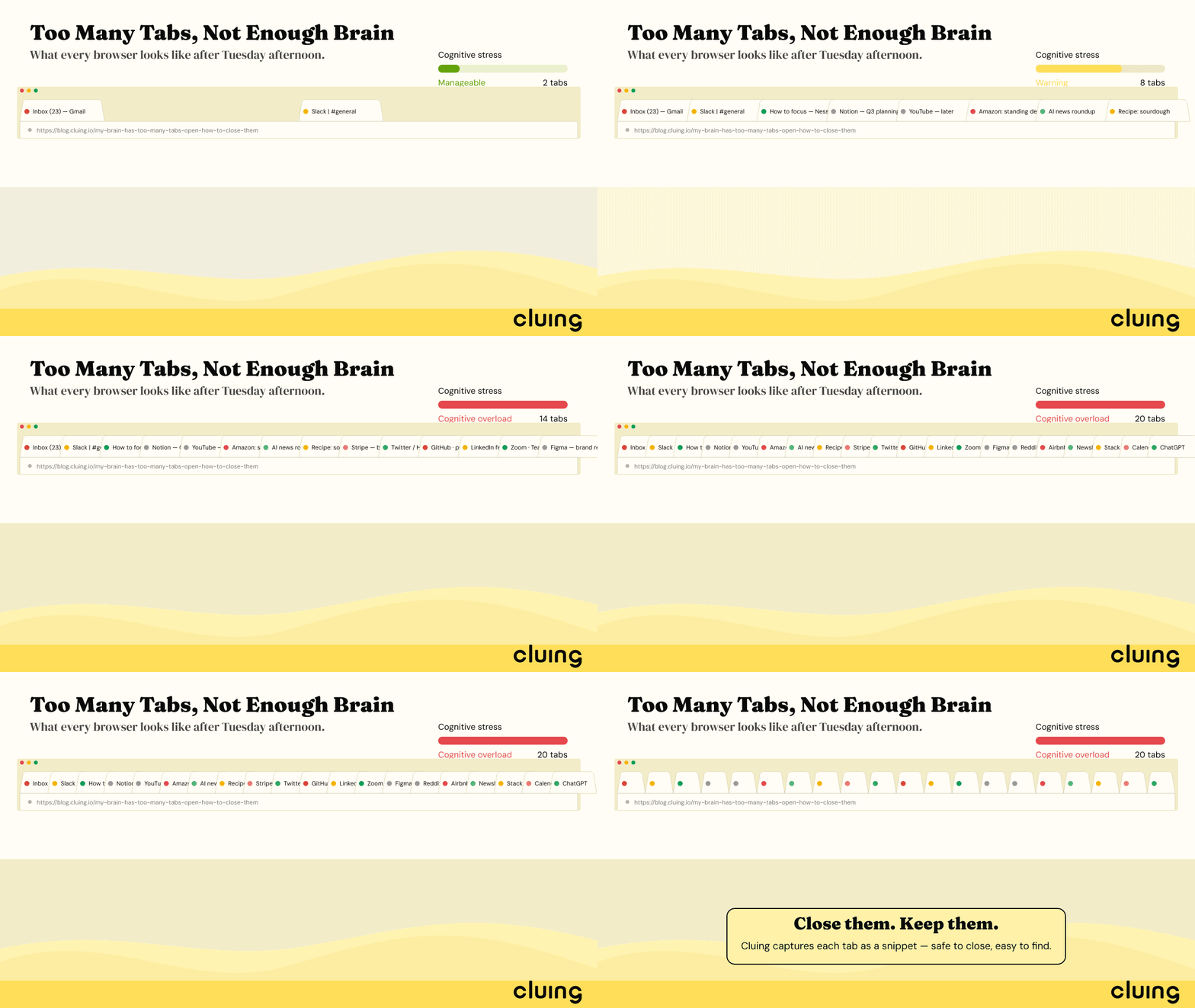
TL;DR
Every open tab is an unfinished task that your brain continues to track. Task-switching can cost up to 40% of productive time (APA), and it takes almost 30 minutes to return to the original task after being interrupted (Gloria Mark, UC Irvine).
Every open tab represents a hoarded reminder. Tabs are a terrible memory system because they’re not organized, not searchable, and lost in a crash. “Just close them” fails because it removes your safety net without replacing it.
Why We Open So Many Browser Tabs
Some people have a challenge with what is called tab hoarding, which can be explained by three psychological factors.
- The first is, they are acting as reminders. Everyone has seen the notifications stack up, and sometimes to get things done, people need both a physical and a visual reminder to do something. Browser tabs can fill that void.
- The second is, fear of losing access. If something is out of reach, the thought is that you may never get access to it again. If the tab is closed, even if you can find the link again with a quick search, you may never find it again.
- The last is, the illusion of progress. Opening a tab gives the illusion that something is being done. Having multiple tabs is thought to be the mark of a productive person.
Research has found that having about ten tabs open creates a cognitive stress that starts to rise. Once you start going over that limit, you are no longer controlling information. You are controlling anxiety.
What Too Many Open Tabs Do to Your Brain
The real stress that is caused by having multiple browser tabs open is more of a stress on your attention rather than your RAM.
Psychologist Sophie Leroy introduced the concept of attention residue: when you switch tasks, part of your brain stays attached to the previous one. Every tab you glance at while working on something else is a small leak of focus.
And those leaks add up. Research by psychologists Rubinstein, Meyer, and Evans, published by the American Psychological Association, found that task-switching can cost up to 40% of productive time. And separately, UC Irvine's Gloria Mark found that after an interruption it takes an average of about 23 minutes to get back to the original task.
Twenty browser tabs = twenty micro-decisions the moment you look at your browser bar. Twenty unfinished things your brain is quietly tracking, even when you're trying to focus on something else.
That background hum of cognitive obligation is exhausting in a way that's hard to name but easy to feel.
Carnegie Mellon University research confirmed it directly: participants with too many tabs open reported negative emotions and pressure. The tabs themselves weren't the crisis. It was the weight of everything those tabs represented.
There's a name for the broader pattern too: cognitive overload. Our working memory can only hold around four to seven chunks of information at once. A screenful of open tabs is not four to seven things. The brain doesn't scale gracefully to accommodate this, it just gets slower, more distracted, and more stressed.
When the overload goes on long enough, it tips into something psychologists call overwhelm- not just stress, but a state where the brain's core management functions start to break down. Planning, prioritising, emotional regulation: all of it degrades.
According to Slip Psychology, this shows up as decision paralysis, procrastination that feels like shutdown, racing thoughts, or going physically blank. It's not laziness. It's a system that's hit its limit.
Overwhelm also fuels two specific thought loops: worry (future-focused "what if" spiralling) and rumination (replaying the past or current situation on repeat). Both are forms of the brain trying to process what it can't resolve and a screenful of open tabs, each representing something unfinished, feeds both loops directly.
Open Tabs Are a Terrible Memory System
Open tabs form a terrible memory system. Here's the diagnosis.
We use tabs as a memory system. We store articles and information that we think will be useful and that we might refer to again in the future. Tabs do a terrible job at this.
Tabs are very difficult to search through. They do not organize themselves. They do not remind you of information when it is needed. Everything gets lost if the browser crashes. There's no way to tell why something was saved or when it will be needed.
There is a false sense of security with saved information, but they don't manage knowledge in any way.
That's why we can never really follow the advice to just "close your tabs." We close them and immediately feel the nets of safety. The anxiety is almost instantaneous. The only solution is to open the tabs again.
The solution is to stop using tabs for memory systems and replace them with something that will.
How to Actually Close Your Open Tabs (and Keep Them Closed)
1. Stop using tabs as a to-do list
If a tab is open because you need to do something, it belongs in a task manager, not a browser. Add it to your actual task list and close the tab.
2. Stop using tabs as a reading list
If the reason you have a tab open is to read something later, save it, and organize it. If you have a 'save to read later' app, you are just making a long list of tabs to read. There needs to be a place to save the content until you need to access it.
3. Build a real save-for-later system
Closing a tab isn't so bad once you have a place you've saved a link to, and you can easily find it later. If you have the link saved and organized, you can close the tab with no anxiety.
4. Do a regular tab audit
Each week, ask yourself if you really need a tab open. Is it a task? Is it an artifact that needs saving? Or is it open just because? If you answered the last question, close the tab.
5. Adopt a one-tab-per-task rule when possible
This may seem extreme, but only open the tabs you need to complete the task then close them when you are done. Work on one task at a time. This is a surprisingly effective method.
Cluing: The Tool That Makes Closing Tabs Feel Safe
The reason most people can't close their browser tabs is because they have no better place to put and organize things.
Think about the tabs you have open right now. Most of them fall into one of three buckets:
- Research. These all go hand in hand, so you need all ten open for reference. The problem is you probably forgot what was in tab two by tab seven. You have to go back to the beginning and sift through all of them again to find the stat or quote that actually mattered.
- Need to read later. These tabs look like a collection of all your aspirations, with favicons.
- "I might need this" You don't even remember why you saved it, but you are too afraid to let it go.
Cluing was built specifically for people who recognize themselves in that list.
Cluing is tool that lets you save any piece of content from the web - articles, links, quotes, videos, PDFs - directly from your browser, organized into topics and enriched with AI. Instead of keeping a tab open "just in case," you clip it to Cluing in seconds, add context if you want, and close the tab knowing exactly where it is and how to find it.
You highlight, you save, you close the tab. That's the whole loop.
What makes it different from bookmarks or a read-later app that becomes its own pile:
- Everything goes into Topics, not a chronological dump. When you save something, it lands in a topic you define - a project, a research area, a content theme. So when you need it again, you're not scrolling through 300 saved links hoping to spot it. You go to the topic and it's there.
- Your saved content is searchable - actually searchable. Cluing's AI search can find a specific quote or stat across everything you've ever saved, even if you don't remember exactly where it came from. No more opening seven tabs trying to relocate something you already found once.
- You can highlight and save the specific part that mattered. The sentence, the paragraph, the timestamp in a video. The thing you actually needed, preserved exactly as it was, with the original source attached.
- AI Chat works across your saved knowledge. Once things are in Cluing, you can ask questions across all of it - "what did I save about productivity research?" or "find everything related to this project" - and get answers drawn from your own collected content, not the general internet.
- Canvas for thinking. Once you are done chatting, Cluing's Canvas lets you work with it - connect ideas, build outlines, draft notes - all in one place.
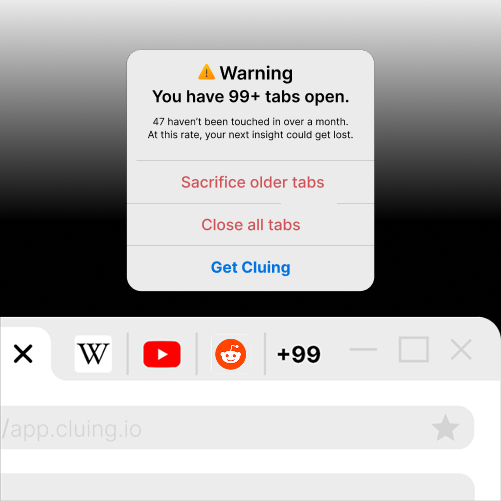
Cluing - Your Second Brain That Executes
Capture sources from any webpage, PDF, YouTube, TikTok, or social platform, mark what matters with comments and notes, then carry your full context layer into any frontier AI.
The shift is psychological as much as practical. Once you trust that something is properly saved and genuinely findable, closing the tab takes no willpower at all. The anxiety that kept it open disappears, because the actual need (not losing access to this thing) is met.
The Mental Model Shift
Those tabs were holding things you didn't want to forget - articles to read, ideas to revisit, research you might need later. They became a place to keep everything close because you didn't have another place you trusted.
Over time, your browser turned into a collection of unfinished thoughts. Every tab carried a small reminder: don't lose this, you might need it.
The solution isn't forcing yourself to close everything or start from an empty browser. It's having a place where the things you save are organized, searchable, and easy to come back to when you need them.
Once you know your information is somewhere safe, closing tabs gets a lot easier.
If you have trouble closing your tabs and not using the information you find, start by downloading Cluing. It only takes 30 seconds to install and is a way better option to store your information.
Sources
- Leroy, S. (2009). Why is it so hard to do my work? The challenge of attention residue when switching between work tasks. Organizational Behavior and Human Decision Processes. Link
- American Psychological Association — Multitasking: Switching costs (Rubinstein, Meyer & Evans, 2001). Link
- Gloria Mark, UC Irvine — The Cost of Interrupted Work: More Speed and Stress (via Fast Company, "Worker, Interrupted"). Link
- Carnegie Mellon University — When the Tab Comes Due: Challenges in the Cost Structure of Browser Tab Usage (CHI 2021). Link


![The Best Reddit Threads Disappear in a Week. Here's How to Keep Them [2026]](https://storage.ghost.io/c/9f/9d/9f9d32ee-55b4-4411-b435-9dc854e1751c/content/images/size/w600/format/webp/2026/06/reddit-cover.png)

![Read it later system for LinkedIn posts - Save, organize, and use what you find [2026]](https://storage.ghost.io/c/9f/9d/9f9d32ee-55b4-4411-b435-9dc854e1751c/content/images/size/w600/format/webp/2026/06/blog-3.png)


![Cognitive Capital - The New Layer of Value [2026]](https://storage.ghost.io/c/9f/9d/9f9d32ee-55b4-4411-b435-9dc854e1751c/content/images/size/w600/format/webp/2026/05/covers--9-.png)