


![Best Readwise Alternative for Teams [2026] - Cluing (formerly Collabwriting](https://storage.ghost.io/c/9f/9d/9f9d32ee-55b4-4411-b435-9dc854e1751c/content/images/size/w2000/format/webp/2026/01/Frame-810-2.png)
Cluing is an all-in-one research workspace for capturing, reading, organizing, and collaborating on insights from articles, PDFs, videos, books, and social platforms - all in one place. It keeps every snippet in context and turns scattered research into something teams can actually work with.
For comparison, tools like Readwise focus mainly on personal highlight review and memory, often splitting the workflow across multiple products.
Cluing takes a more unified approach, especially for research and collaboration.
If you love reading, researching, or collecting insights from articles, books, videos, or PDFs, chances are you’ve heard of Readwise and maybe even Cluing (formerly Collabwriting).
Both tools promise to help you capture highlights, organize knowledge, and actually use it later.
Yet many users get frustrated with one common issue: wanting a single tool to do everything: capture content, highlight it, review it, and export it further.
With Readwise, covering the full workflow often means juggling two subscriptions:
- Reader for web capture and highlighting
- Readwise for review, spaced repetition, and export.
People often wonder: "Why isn’t it all in one place?"
This is where alternatives like Cluing can help, offering a more unified approach while keeping the context of your highlights intact.
What is Readwise?
Readwise makes it easy to revisit and learn from your ebook & article highlights.
It’s designed to help you remember what you read, and its key features include:
- Import highlights from Kindle, PDFs, and web articles (via Reader for capture)
- Send highlights to apps like Notion, Obsidian, Roam, etc.
- Daily review emails to reinforce memory with spaced repetition
Who it’s for: Individuals who want a personal knowledge library and better long-term retention. Often, though, using Readwise to its full potential means managing multiple tools.
Readwise pricing (2026):
- Lite: $5.59/month (billed annually)
- Full: $9.99/month (billed annually)
What is Cluing (formerly Collabwriting)?
Cluing is a tool that transforms a messy browser into a seamless workspace for team collaboration.
You can collect snippets from anywhere online - articles, PDFs, videos, even books - add your own notes, and organize everything into a searchable knowledge system, whether you're working alone or with a team.
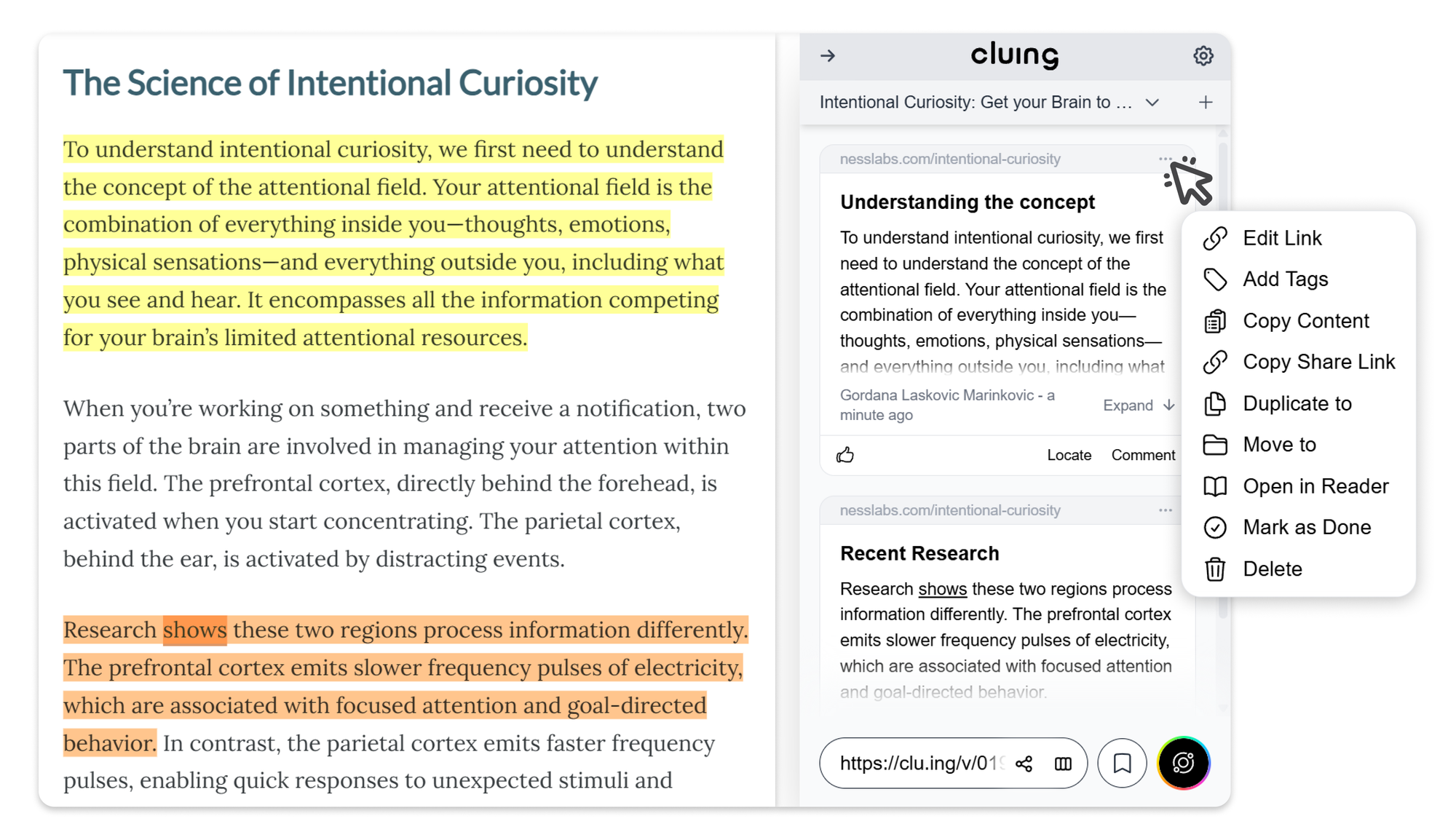
Cluing takes a slightly different approach than Readwise.
Instead of focusing solely on personal memory, it emphasizes context, collaboration, and keeping your research workflow in one place.
With Cluing, you can:
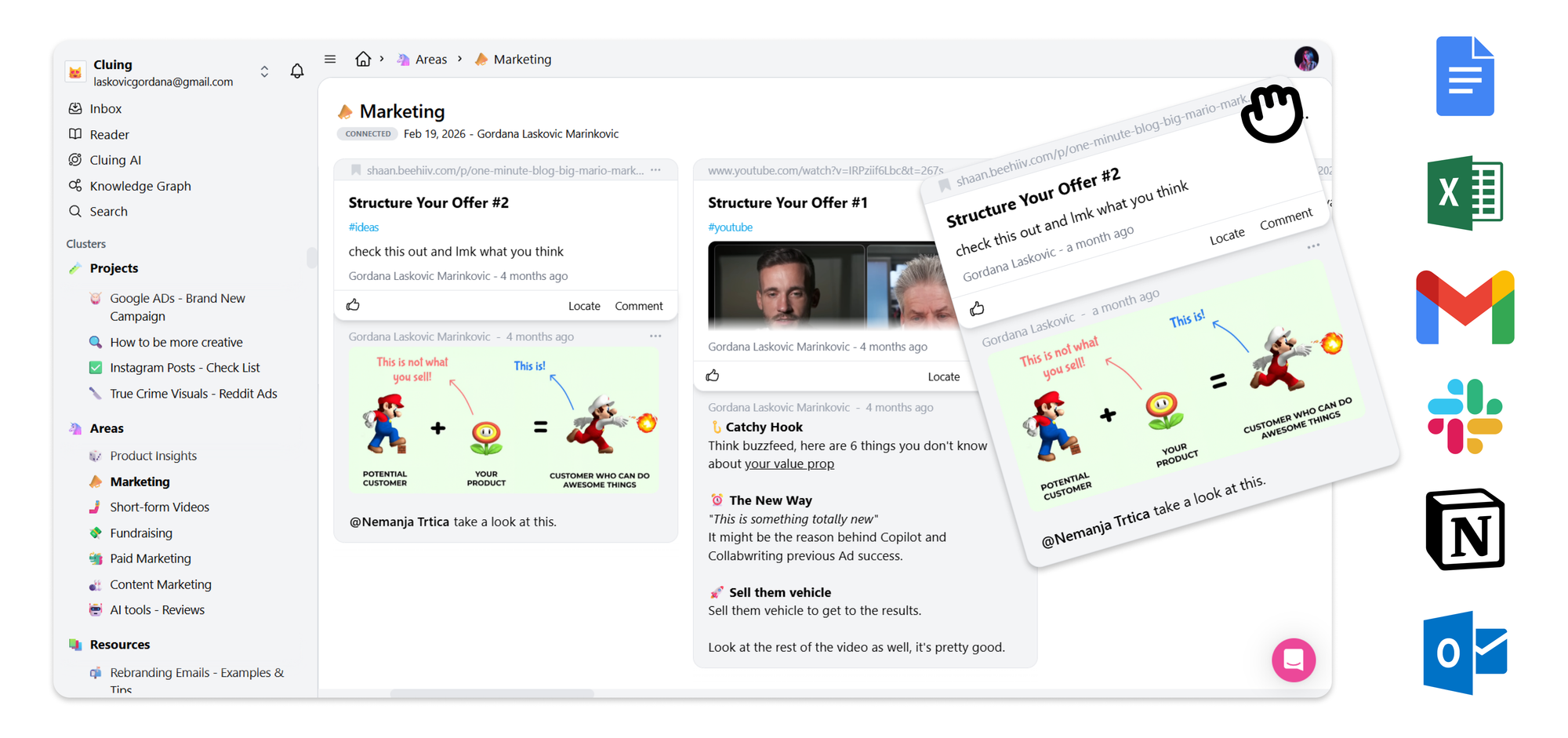
- Clip content from almost anywhere online - Save web pages, PDFs, YouTube videos, LinkedIn posts, X/Twitter posts, Reddit discussions, and Quora answers with a single click.
- Import Kindle highlights seamlessly - Bring your Kindle highlights and notes into Cluing so your reading insights don't stay locked inside a separate app.
- Organize knowledge into clusters and topics - Group related research into flexible clusters and topics instead of rigid folders, making it easy to manage projects, research, and ideas.
- Annotate knowledge at the snippet level - Add comments, #tags, and @mentions directly to every highlight. Context stays attached to the exact insight, and if Slack is connected, mentioning a teammate sends an instant notification.
- Organize newsletters automatically - Send newsletters to a dedicated Cluing email address linked to a topic, and every new issue is saved automatically without forwarding or manual organization.
- Collaborate directly around highlights - Everyone on your team can view snippets in context, comment, tag teammates, and discuss ideas without losing track of the original source.
- Read without distractions - Open any webpage in the built-in Reader for a clean, mobile-friendly reading experience with no cookie banners or unnecessary clutter. 📱
- Keep everything traceable - Every snippet preserves its original source, timestamp, and author, so insights can always be verified later, even if the original page changes or disappears.
- Share complete context with one link - Share snippets, comments, highlights, and original sources together, so nothing gets lost when collaborating.
- Replace multiple tools with one workspace - Save, organize, collaborate, and search your knowledge in one place instead of switching between bookmarking, note-taking, reading, and collaboration tools.
All of this sits under one subscription, replacing the need to juggle multiple tools for reading, saving, and organizing knowledge.
This is where Cluing goes furthest beyond Readwise. Once your research is saved and organized, you can open AI Chat and work with it directly - ask it to pull insights from your own saved snippets (not just the open web), summarize themes across sources, or draft an outline grounded in what you've actually found.
From there, Canvas turns that output into a structured, editable document, so your research doesn't just sit in a library; it becomes a brief, a summary, or a first draft.
Who it's for: Teams, researchers, marketers, or anyone who wants to collect, organize, and collaborate on insights from all digital sources, without losing context or focus.
Cluing pricing (2026):
- Hobbyist - $0 (Free forever)
- Easily save, organize, and comment on content - a solid way to get started and keep your insights in one place
- Professional - $20/month
- Great for individuals who read and research a lot and want more control, context, and features
- Superhuman - $200/month
- Built for power users who need unmetered MCP requests, up to 150 web searches per message, and early access to frontier AI models before general availability
- Team - $25/month per user
- Made for teams who work together on research, content, or strategy and need a shared space to stay aligned
Where Readwise and Cluing Overlap
Both Readwise and Cluing let you:
- Capture and organize highlights from multiple sources
- Access highlights across devices
- Search through your saved knowledge base
That's where the overlap ends, though. Readwise is built around personal memory and review. Cluing is built around context, collaboration, and an all-in-one workflow that goes from raw research to usable output.
Readwise helps you remember. Cluing helps you work together and turns what you've found into something you can actually use.
Who Should Use Which?
- Readwise: Ideal for solo readers or researchers focused on long-term retention and spaced repetition.
- Cluing: Great for anyone who wants capture, collaboration, context, and distraction-free reading all under one plan. Teams and project-focused workflows benefit the most.
Some users even combine both: Readwise for personal review, Cluing for team collaboration and shared insights.
![Readwise & Cluing (formerly Collabwriting) - Compared [2026]](https://storage.ghost.io/c/9f/9d/9f9d32ee-55b4-4411-b435-9dc854e1751c/content/images/2026/01/image-3.png)
Why Cluing is a Strong Readwise Alternative
The main frustration with many Readwise users is the split workflow: capture in one tool, review/export in another. Cluing addresses this by combining:
- Capture
- Organization
- Collaboration
- Optional export
- Distraction-free reading
…all while keeping every snippet in its original context.
If you’re searching for the best Readwise alternative for yourself or your team, Cluing provides a unified, flexible solution that keeps your research organized, actionable, and easy to share.
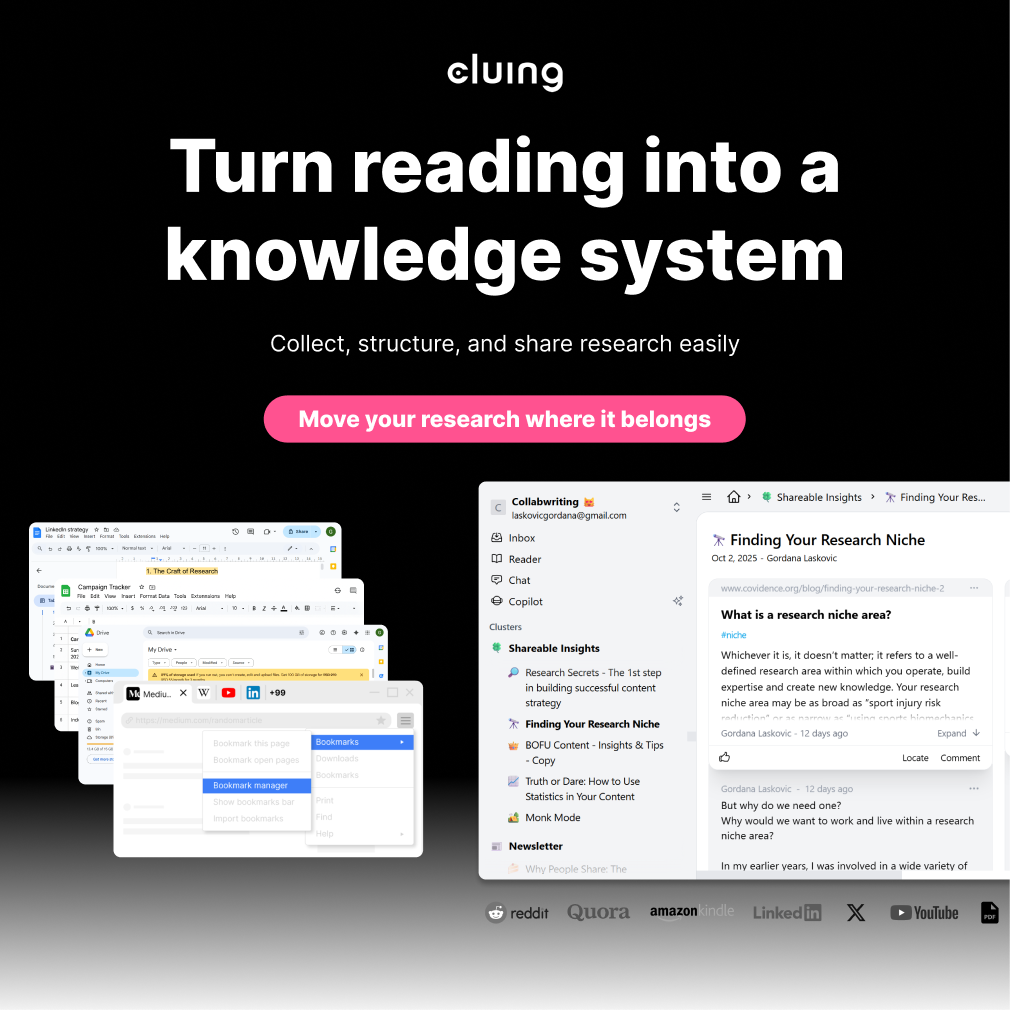
Cluing - The easiest way to capture, store and find knowledge
Cluing brings all your online sources into one shared workspace, preserving context as you research.
Highlight, save, and collaborate and turn scattered insights into a unique context and outputs only your team can create.
FAQ
What’s the main difference between Readwise and Cluing (formerly Collabwriting)?
Readwise focuses on personal memory and spaced repetition, helping you remember what you read. Cluing emphasizes context, collaboration, and keeping your entire research workflow in one place, from capturing content to sharing insights with a team.
Can I use Cluing for personal reading and research?
Yes! Cluing works for both individuals and teams. You can save, organize, and annotate highlights for yourself, even without collaborating with others.
Can Cluing import highlights from Kindle, PDFs, or web articles?
Yes. Cluing can clip content from almost anywhere online—including web pages, PDFs, YouTube, LinkedIn, Reddit, and Quora - and also import Kindle highlights seamlessly.
Can I collaborate with my team on Cluing?
Absolutely. You can share snippets, add comments, tags, mentions, and discuss content in full context without losing the original source.
Can I export highlights from Cluing?
Yes. Cluing allows the optional export of your saved snippets, keeping the context intact for use in other tools or workflows.


![The Best Reddit Threads Disappear in a Week. Here's How to Keep Them [2026]](https://storage.ghost.io/c/9f/9d/9f9d32ee-55b4-4411-b435-9dc854e1751c/content/images/size/w600/format/webp/2026/06/reddit-cover.png)

![Read it later system for LinkedIn posts - Save, organize, and use what you find [2026]](https://storage.ghost.io/c/9f/9d/9f9d32ee-55b4-4411-b435-9dc854e1751c/content/images/size/w600/format/webp/2026/06/blog-3.png)


